New
Loading the page…
Loading the page…
Loading the page…
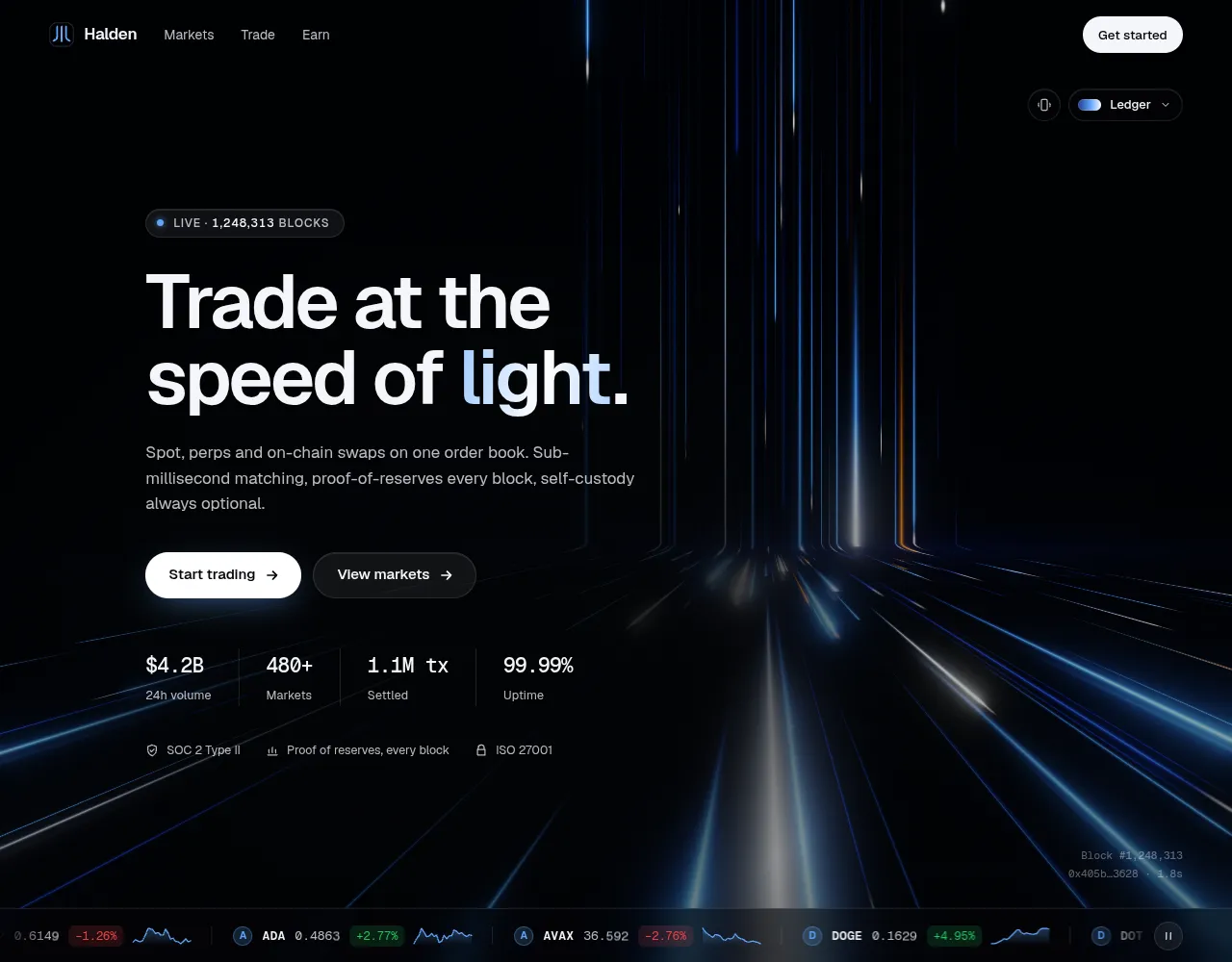
A crypto and Web3 hero section for React over a hand-written WebGL light background: neon lanes fall into an order book, a live price ticker pulses the light on every move, and blocks settle like a heartbeat. Six palettes, light and dark themes.
by UpForkComponentUpdated 9 Oct 2026
Before you buy
How this component gets from the preview into your project, and what buyers ask most.
How to use it
From the preview to your project
Try it in the preview
Switch between light and dark, and resize it to phone and tablet widths, before you decide.
Get it
Free products are yours with a free account. Paid ones settle in USDT on TRON, sent straight to the wallet on your order.
Install it
Components go into your project with one shadcn command, dependencies included. Everything else downloads with a checksum.
Make it yours
It's your code now: rename it, restyle it and wire in your real data.
Or hand it to your AI
Copy the prompt and let your coding assistant place it in your project, following your conventions.
Yes, a free one: it keeps your order, every payment you make for it and the files together. Free products need it too: without an account you can look and try the live preview, but not download, install or copy anything.
Send the price as a USDT transfer on TRON (TRC-20) to the wallet on your order, shown with its QR code, then paste the transaction ID on the order. It's checked on-chain, and the files unlock once it's confirmed. Paid less? You're asked for the rest.
Yes. The Standard License covers unlimited personal and commercial projects, client work included; just don't resell it on its own. Open-source licenses say so on the product.
Create a CLI token on your account page, put it in your project's .env.local, add UpFork to components.json once, and install with npx shadcn add: free and paid components alike.
Onto your order, in your account. Download links last ten minutes and can be made again.
Releases are scanned for malware and reviewed before anyone can download them, and every file shows its SHA-256 so you can check what you got.
Building with an AI assistant?
Copy a ready-made prompt with the code, its dependencies and a demo, and your assistant can put it in place for you.
Selling your own work?
Get approved once, then publish components, templates and apps, paid in USDT straight to your own wallet.
Components
npm packages
29 files · 1 package · 12 assets
The code comes with the Pro plan
The files above install into your project with one command, or download as a ZIP.
See the plansLightfall is a hero for an exchange or a Web3 product whose background means something. A hand-written WebGL2 shader pours lanes of neon light down a wall, bends them through a soft cove at the horizon and races them toward you across a floor: order flow falling into the book, settling, and leaving as finality. On top sits a complete hero, and a live market ticker whose price moves pulse the light.
pulse() from your trade feed and the light is your market..dark class or the system.Raw WebGL2 and GLSL, no 3D library, rendered in a Web Worker so your page's main thread never waits on the GPU: 21.8 kB gzipped with its shaders. Our demo scores 98+ for performance and 100 for accessibility, best practices and SEO in Lighthouse (desktop), with zero layout shift. Zero React renders per frame. Resolution adapts to keep 60 fps, the loop sleeps off screen, low battery and reduced data lower the effects, reduced motion turns movement into a slow drift, and without WebGL a baked poster takes its place. Text keeps a 4.5:1 contrast against the brightest light that passes behind it, the palette picker is a keyboard listbox, and the ticker has a screen-reader summary.
LightfallHero component in TypeScript, with its own stylesheet (no Tailwind needed)LightfallCanvas (the shader alone, for any section), MarketTicker, PalettePicker, useLightfallmotion is the only dependency


