Loading the page…
Loading the page…
How Arc Picker puts items on a true circle from one Reanimated shared value and one pan, and eight web traps in Gesture Handler, Skia, haptics and ARIA.
Written with AI: Claude Opus 5.5, through Claude
8 lessons learned building it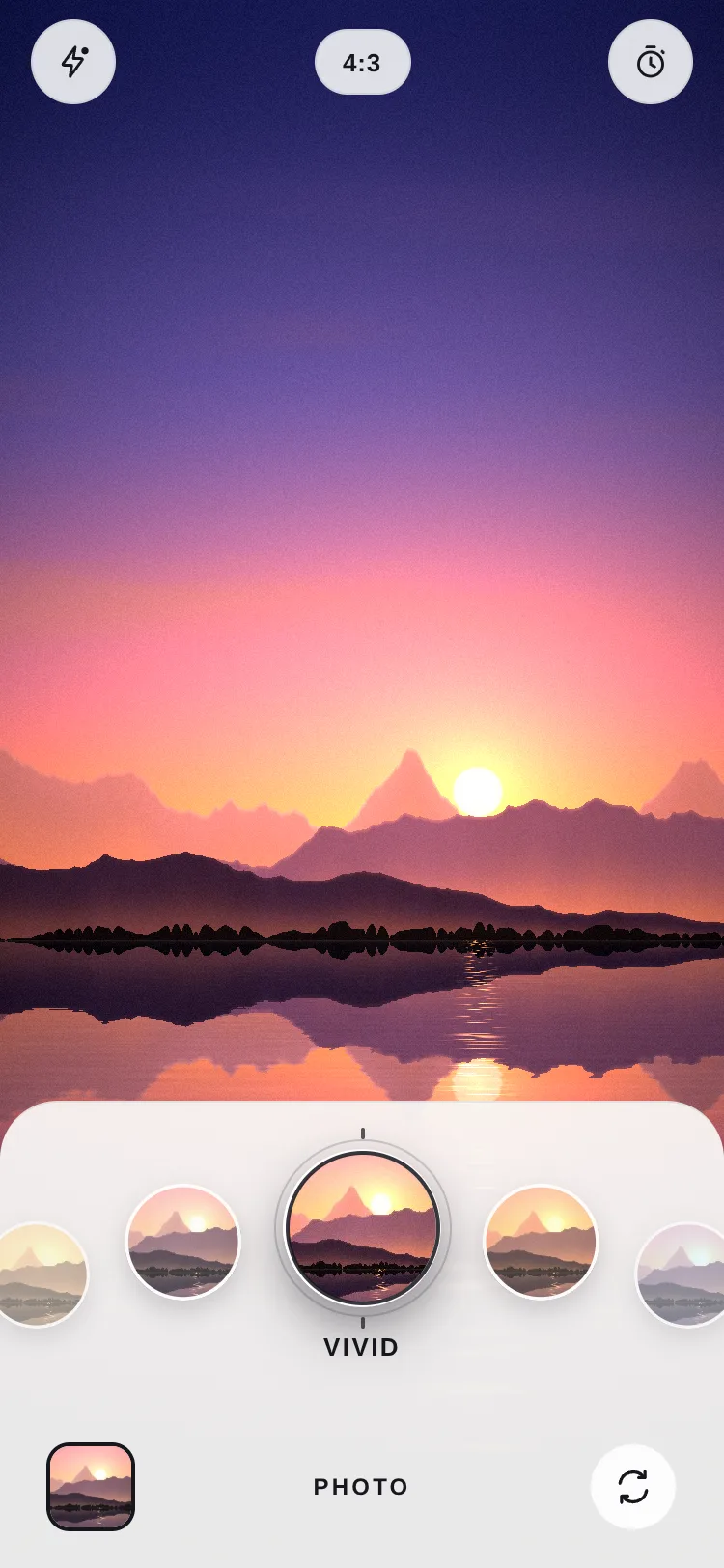
The product
Arc Picker — Curved Dial Carousel & Filter Picker for React Native & ExpoFree · Mobile component
The product
Free · Mobile component
A curved dial carousel for React Native: items ride a true circular arc and the one under the ring is chosen. Momentum, detent haptics and an exact landing, with a live fractional index to blend the screen above, like a camera's filter dial. Touch, mouse and wheel, light and…
Arc Picker is a curved dial carousel for React Native and Expo. Its items ride a true circle, like the lens dial of a camera app, and the one under the fixed ring is the choice. It turns with a finger, a mouse drag or the mouse wheel, has momentum and detents, lands exactly under the ring, and reports a fractional index every frame so the screen above can blend between neighbours.
This article is for anyone building a gesture-driven control with Reanimated 4 and Gesture Handler that has to work on phones and in a browser, through React Native Web. It explains how the dial places its items and turns, then the eight traps it met on the web while it was built, each with its fix. Several of them also hit its siblings in the same kit (Slide to Confirm, Clockface, Ambient Carousel), so they aren't one component's quirks.
The whole dial is one Reanimated shared value, p: a fractional place. p = 2 puts item 2 under the ring; p = 2.5 is halfway to item 3. Every item's position, scale, fade and stacking order are derived from p on the UI thread, in worklets, so React renders only when the chosen item changes (and, for lists of more than 40 items, when the window of items mounted round the ring moves).
An item d places from the ring sits a distance s along the arc, and the arc is part of a circle of radius r:
s = d · step + clamp(d, −1, 1) · push, where step is the item size plus the gap, and push is extra room either side of the ring, so the chosen item can grow 1.28× into it without touching its neighbours;θ = s / r, the item's angle on the circle, in radians;x = cx + dir · r · sin θ and y = apexY + sign · r · (1 − cos θ), where dir flips for right-to-left layouts and sign flips between a bottom arc (the ends fall away) and a top one (they rise).placesAt is the inverse of the first line, and the drag uses it: a pointer that has moved s points along the arc has turned the dial placesAt(s) places. The radius defaults to 1.6 × the dial's width, a shallow curve. Past the span (110° by default) or the screen's edge, items shrink and fade out instead of popping.
A single Gesture.Pan does everything. onBegin stops a spinning dial, like a hand on a wheel; onUpdate turns it; onEnd throws it; and onFinalize after a pan that never activated (it didn't move 6 points) is a tap, sent to whichever visible item is nearest the touch.
The throw follows a decelerating wheel. The release speed is converted to places a second, v. With withDecay's deceleration of 0.995, the dial would travel v × 0.995 / (1 − 0.995) / 1000 places before it stopped (DECAY_TRAVEL), so the target is that point rounded to the nearest item, and a spring that starts at the same velocity carries the dial there. A hard fling crosses many items, a gentle one exactly one, and a flick faster than 1.2 places a second always moves at least one. Without loop, a drag past either end is damped to 35% (a rubber band) and springs back.
Three of the eight traps live in those lines.
Testing any of this needed real input, which was a trap of its own.
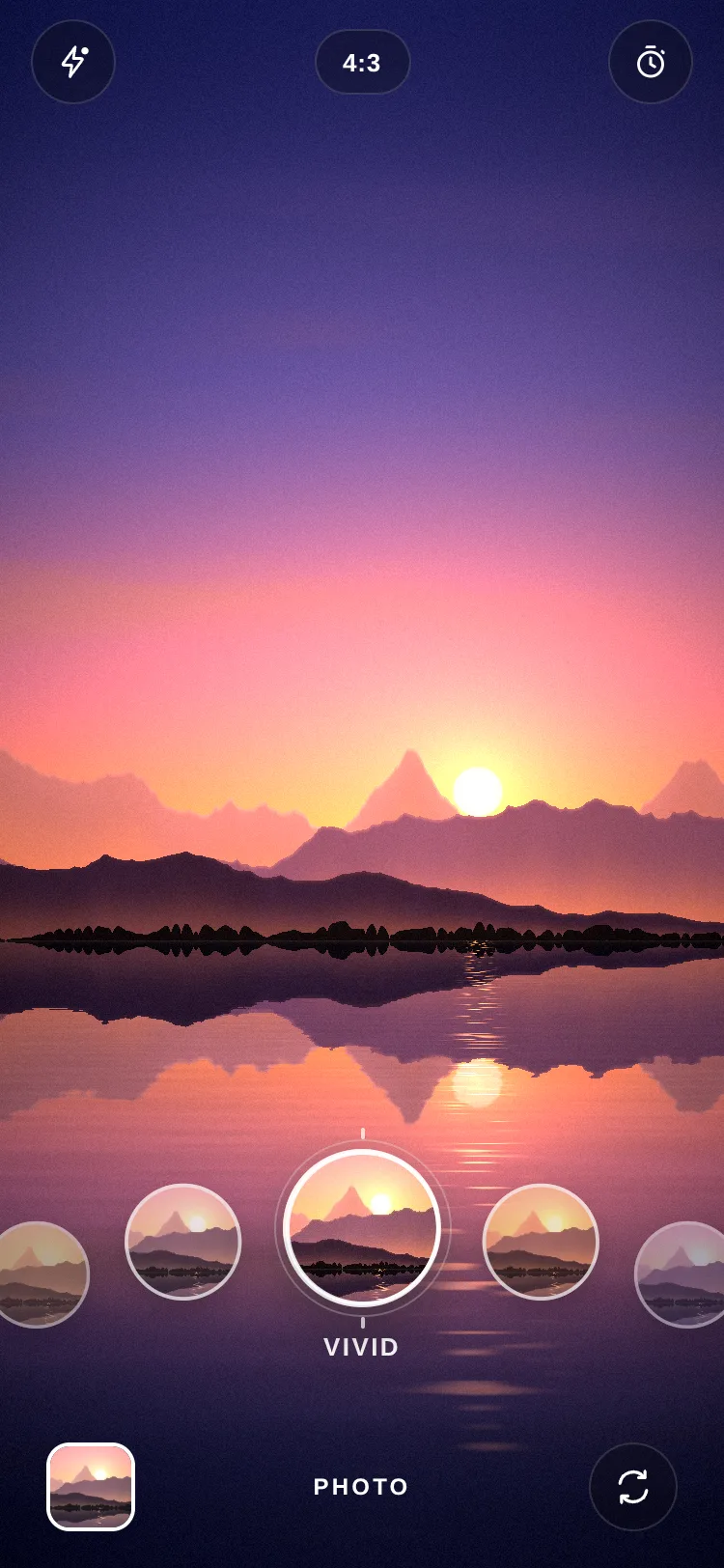
In the camera demo the ring is the shutter. The first version put a Pressable inside the ring, over the dial's GestureDetector.
The camera demo's viewfinder is a lakeside sunset drawn by a Skia runtime shader. Running that shader every frame would be wasted work, since only the filter changes as the dial turns. So the scene is drawn once, into an image. The viewfinder draws that image through a colour matrix (20 numbers) blended between the two filters on either side of progress, and the nine thumbnails are the scene's crop through each filter, rendered once to JPEG data URIs.
The dial ticks as each item passes the ring (no closer than 45 ms apart, so a fast spin doesn't buzz) and gives a firmer tick when it settles. It is also an adjustable control for screen readers: "Filter, Vivid, 2 of 9", with increment and decrement actions, and the arrow keys and the wheel on the web. Both needed a change for the browser.
npm run check -- arc-picker: its rules, TypeScript, a web export of the product alone, and its size against the kit's budget of 600 KB of JavaScript gzipped.itemSize (64) and spacing (14) set the step along the arc; the ring is 1.25× the item.radius (1.6 × the width) and span (110°) set the curve: a smaller radius bends harder.position="top" makes a rising arc (the avatar demo's backdrops), and orientation="tangent" turns the items along it.loop turns without end, from the last item back to the first (six items or more).progress: pass a shared value and blend anything with it on the UI thread. lib/oklab.ts mixes colours in OKLab, so a turn from teal to coral doesn't pass through grey.renderCenter with onPressSelected makes the ring a button without giving up the drag.haptics={false} turns the ticks off on phones too.Arc Picker — Curved Dial Carousel & Filter Picker for React Native & Expo isn’t installed with a command: get it from its page.
Written by
Ramin ValadanProved GitHub account and website, confirmed e-mail: checked by UpFork
Full-stack developer and founder of UpFork · .NET, React/Next.js and WebGL
This version is signed in UpFork’s ledger as entry #197, so anyone can check it hasn’t changed since it was published. Check it.
Something wrong in it, or against the rules? Report it.
Behind the build · Fluid Tab Bar — Animated Liquid Bottom Navigation for React Native & Expo
How Fluid Tab Bar stretches a pill between tabs with two springs and a layout computed in worklets, and six traps of Reanimated and SVG on the web.
Ramin ValadanProved GitHub account and website, confirmed e-mail: checked by UpFork8 min readAI
6 lessons
Behind the build · Confirm Button — Two-Step Delete & Hold-to-Confirm Button for React Native & Expo
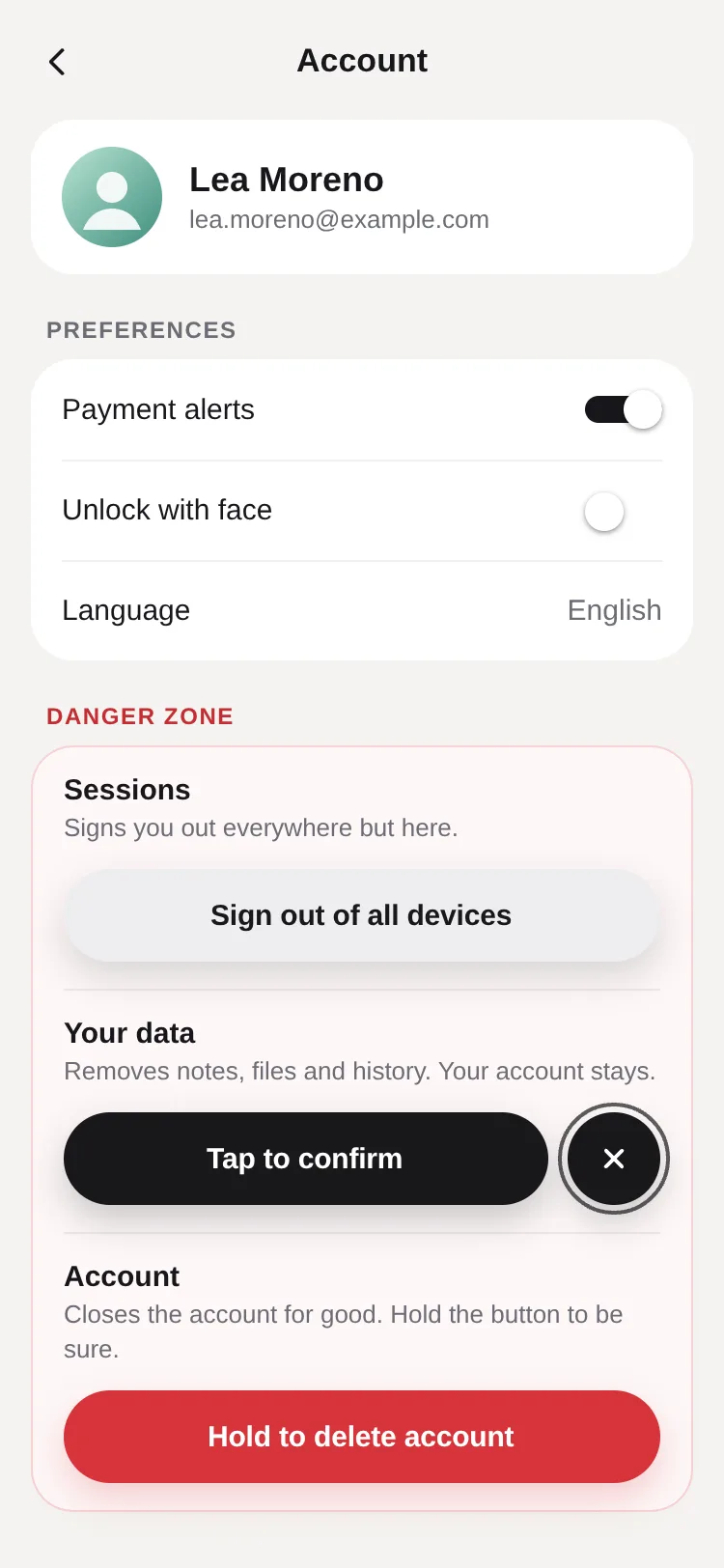
How Confirm Button draws a liquid cancel bubble with Skia geometry and a Reanimated state machine, and seven traps of React Native Skia on the web.
Ramin ValadanProved GitHub account and website, confirmed e-mail: checked by UpFork10 min readAI
7 lessons


Behind the build · Marketly – Trading platform landing page
How Marketly's three.js Earth turns towns on at dusk, draws price charts between lit cities, and three rendering traps found while building it.
Ramin ValadanProved GitHub account and website, confirmed e-mail: checked by UpFork8 min readAI
3 lessons
on the web it counts from where the pan activated, after the pointer had already crossed the activation distance, so a quick mouse move lost its first jump and the dragged thumb stopped short of the pointer. It was found on Slide to Confirm, one of the kit's two original samples.
keep event.absoluteX from onBegin and measure every update from it. Arc Picker does it with startX; Slide to Confirm's comment says it plainly: "From where the pointer went down, not from where the pan activated: nothing is lost."
arc-picker.tsx lines 389 and 403; slide-to-confirm.tsx line 213; the kit README, "A drag from pointer-down, not from activation".
on the web, Gesture Handler reports the last movement's velocity at release even after the pointer has stood still, so a drag that stopped on an item and let go a moment later still flung the dial onward.
onUpdate notes the time of the last real move (lastMove), and a release more than 80 ms after it counts as a velocity of 0: the dial springs onto the nearest item and stays there.
commit 91ea4a9; arc-picker.tsx lines 411–414; the kit README, "A pointer that rests keeps its speed".
in the sibling Ambient Carousel, a quick mouse flick moved only two covers. Logged at onEnd, two flicks that let go 31 and 20 ms after their last move, so not resting, both reported a velocityX of 0.
the pan keeps its last positions with their times, and when velocityX is 1 or less (either way) the speed is measured from them, from the newest sample back to the oldest one within 100 ms of it (trackedSpeed). The same commit gave it to Arc Picker and Clockface.
commit 84f8595; the build's log lines [kit] end 0 false 31 and [kit] end 0 false 20; arc-picker.tsx lines 143–157 and 413.
Gesture Handler calls setPointerCapture, and with no real pointer behind the events Chrome threw: "Uncaught NotFoundError: Failed to execute 'setPointerCapture' on 'Element': No active pointer with the given id is found."
every drag, flick and wheel test drives the installed Chrome with Puppeteer's own mouse, which goes through the DevTools protocol's input and reaches the page as a real pointer. Touch is left to a real phone.
the console output in the kit's first build session; the kit README, "Real input only".
taps worked, but a drag that started on the ring didn't turn the dial. With the pan's callbacks logged, a scripted drag from the middle of the ring printed none of them: the Pressable had taken the touch.
the gesture owns the whole area. renderCenter only draws (its View has pointerEvents="none"); a still touch on the item under the ring calls onPressSelected; and a pressed shared value, set in onBegin when the touch lands inside the ring and cleared in onStart once it becomes a drag, gives the shutter its press feedback.
commit 91ea4a9; renderCenter's doc comment, "The dial keeps every touch (so a drag can start on the ring)"; arc-picker.tsx lines 384–397 and 587–598.
reading the package's web code before writing the camera demo showed that Skia.Surface.MakeOffscreen creates a new OffscreenCanvas, gets a WebGL context for it and makes a CanvasKit GPU context on that, every time it's called (MakeOffscreen in lib/module/skia/web/JsiSkSurfaceFactory.js), and that a snapshot of the surface is tied to that context.
one surface for all nine thumbnails, one kept per size for the photos (frameSurface), and the scene's snapshot turned into a plain image with makeNonTextureImage(), which any canvas can draw.
the package source, read during the build; camera-scene.ts lines 175–228; the kit README, "Drawing once, offscreen".
turning the dial with the mouse wheel and the arrow keys, before any click on the page, logged this console error: "Blocked call to navigator.vibrate because user hasn't tapped on the frame or any embedded frame yet".
CAN_BUZZ = Platform.OS !== 'web', so the ticks run on phones only. Desktops can't vibrate anyway.
the console errors from the build's wheel and keyboard test; arc-picker.tsx lines 139–140.
a test that turned the dial with the wheel and the arrow keys and read the DOM found role="slider" with its aria-label, "Filter", but aria-valuetext was null every time: a screen reader in the browser had nothing to say about the choice.
the dial takes React Native's aria-valuemin, aria-valuemax, aria-valuenow and aria-valuetext props instead. The same test then read "Vivid, 2 of 9", "Noir, 5 of 9" and "Retro, 9 of 9". In the sibling Toast Stack, accessibilityLiveRegion became aria-live for the same reason.
the test's output before and after the change; arc-picker.tsx lines 525–530.
/** Distance along the arc of an item `d` places from the ring. */
export function arcOffset(d: number, g: ArcGeometry) {
  'worklet';
  return d * g.step + Math.max(-1, Math.min(1, d)) * g.push;
}

/** The inverse of arcOffset: how many places from the ring a distance along the arc is. */
export function placesAt(s: number, g: ArcGeometry) {
  'worklet';
  const edge = g.step + g.push;
  if (Math.abs(s) <= edge) return s / edge;
  return Math.sign(s) * (1 + (Math.abs(s) - edge) / g.step);
}

/** An item's centre and its angle on the circle. */
export function placeOnArc(d: number, g: ArcGeometry) {
  'worklet';
  const theta = arcOffset(d, g) / g.radius;
  return {
    x: g.cx + g.dir * g.radius * Math.sin(theta),
    y: g.apexY + g.sign * g.radius * (1 - Math.cos(theta)),
    theta,
  };
} const pan = Gesture.Pan()
.enabled(n > 1)
.activeOffsetX([-6, 6])
.failOffsetY([-16, 16])
.onBegin((event) => {
cancelAnimation(p);
if (Math.hypot(event.x - geometry.cx, event.y - geometry.apexY) < ringSize / 2 && Math.abs(p.value - Math.round(p.value)) < 0.08) {
pressed.value = withTiming(1, { duration: 90 });
}
startX.value = event.absoluteX;
startP.value = p.value;
startTime.value = Date.now();
lastMove.value = { x: event.absoluteX, t: Date.now() };
samples.value = [event.absoluteX, Date.now()];
})
.onStart(() => {
pressed.value = withTiming(0, { duration: 120 });
})
.onUpdate((event) => {
if (event.absoluteX !== lastMove.value.x) {
lastMove.value = { x: event.absoluteX, t: Date.now() };
samples.value = [...samples.value.slice(-10), event.absoluteX, Date.now()];
}
const moved = (event.absoluteX - startX.value) * geometry.dir;
const raw = startP.value - placesAt(moved, geometry);
if (loop) p.value = raw;
else p.value = raw < 0 ? raw * RUBBER : raw > last ? last + (raw - last) * RUBBER : raw;
})
.onEnd((event) => {
// Speed as places a second, at the rate the item under the finger is moving along the arc.
const rate = Math.abs(event.absoluteX - startX.value) < travel ? travel : geometry.step;
// On the web the pointer's last speed lingers after it stops: a release after a pause has none.
const resting = Date.now() - lastMove.value.t > 80;
const speed = Math.abs(event.velocityX) > 1 ? event.velocityX : trackedSpeed(samples.value);
const velocity = resting ? 0 : (-speed * geometry.dir) / rate;
const from = Math.round(startP.value);
let target = Math.round(p.value + velocity * DECAY_TRAVEL);
// A deliberate flick always moves at least one item.
if (target === from && Math.abs(velocity) > 1.2) target = from + Math.sign(velocity);
if (!loop) target = Math.min(Math.max(target, 0), last);
springTo(target, SNAP, velocity);
})
.onFinalize((event, success) => {
pressed.value = withTiming(0, { duration: 180 });
if (success) return;
const still = Math.abs(event.absoluteX - startX.value) < 10 && Date.now() - startTime.value < 400;
if (still) tapAt(event.x, event.y);
else springTo(Math.round(p.value), SNAP);
});/**
* The pointer's speed (points a second) over its last moves. Gesture Handler's own is sometimes 0 for a quick flick on
* the web; this one is measured from the samples kept as [position, time, position, time, …].
*/
function trackedSpeed(samples: number[]) {
'worklet';
const n = samples.length;
if (n < 4) return 0;
const x1 = samples[n - 2];
const t1 = samples[n - 1];
let k = n - 4;
while (k >= 2 && t1 - samples[k - 1] <= 100) k -= 2;
const dt = t1 - samples[k + 1];
return dt > 0 ? ((x1 - samples[k]) / dt) * 1000 : 0;
} {renderCenter ? (
<View
pointerEvents="none"
accessibilityElementsHidden
importantForAccessibility="no-hide-descendants"
style={[
styles.center,
{ width: ringSize, height: ringSize, left: geometry.cx - ringSize / 2, top: geometry.apexY - ringSize / 2 },
]}>
{renderCenter({ pressed })}
</View>
) : null}/**
* Draws the scene once at a size in pixels and returns it as an image any canvas can draw (not tied to the GPU
* context it was drawn in).
*/
export function renderScene(width: number, height: number): SkImage | null {
const effect = Skia.RuntimeEffect.Make(SCENE);
const surface = Skia.Surface.MakeOffscreen(width, height);
if (!effect || !surface) return null;
const paint = Skia.Paint();
paint.setShader(effect.makeShader([width, height]));
surface.getCanvas().drawRect(Skia.XYWHRect(0, 0, width, height), paint);
surface.flush();
const image = surface.makeImageSnapshot().makeNonTextureImage();
surface.dispose();
return image;
}
/** Every filter's thumbnail: the scene's crop in miniature through each matrix, as JPEG data URIs. */
export function renderThumbnails(scene: SkImage, matrices: ColorMatrix[], size: number): string[] {
const surface = Skia.Surface.MakeOffscreen(size, size);
if (!surface) return [];
const canvas = surface.getCanvas();
const side = scene.width() * THUMB_CROP.size;
const src = Skia.XYWHRect(scene.width() * THUMB_CROP.cx - side / 2, scene.height() * THUMB_CROP.cy - side / 2, side, side);
const dst = Skia.XYWHRect(0, 0, size, size);
const out = matrices.map((matrix) => {
const paint = Skia.Paint();
paint.setColorFilter(Skia.ColorFilter.MakeMatrix(matrix));
canvas.drawImageRect(scene, src, dst, paint);
surface.flush();
return `data:image/jpeg;base64,${surface.makeImageSnapshot().encodeToBase64(ImageFormat.JPEG, 90)}`;
});
surface.dispose();
return out;
}
let frameSurface: { width: number; height: number; surface: ReturnType<typeof Skia.Surface.MakeOffscreen> } | null = null;
/** A photo of the whole frame through a filter, for the shutter's flight into the gallery. */
export function renderFrame(scene: SkImage, matrix: ColorMatrix, width: number, height: number): string | null {
if (!frameSurface || frameSurface.width !== width || frameSurface.height !== height) {
frameSurface?.surface?.dispose();
frameSurface = { width, height, surface: Skia.Surface.MakeOffscreen(width, height) };
}
const surface = frameSurface.surface;
if (!surface) return null;
const paint = Skia.Paint();
paint.setColorFilter(Skia.ColorFilter.MakeMatrix(matrix));
surface
.getCanvas()
.drawImageRect(scene, Skia.XYWHRect(0, 0, scene.width(), scene.height()), Skia.XYWHRect(0, 0, width, height), paint);
surface.flush();
return `data:image/jpeg;base64,${surface.makeImageSnapshot().encodeToBase64(ImageFormat.JPEG, 88)}`;
} return (
<View onLayout={onLayout} style={[styles.root, { height }, style]}>
<GestureDetector gesture={gesture}>
<Animated.View
accessible
accessibilityRole="adjustable"
accessibilityLabel={accessibilityLabel}
aria-valuemin={1}
aria-valuemax={Math.max(n, 1)}
aria-valuenow={selected + 1}
aria-valuetext={n > 0 ? `${itemLabel}, ${selected + 1} of ${n}` : ''}
accessibilityHint={accessibilityHint}
Comments
0 comments
No comments yet. Questions, what you built with it, what could be better: its developer reads them.
Sign in to comment.
Sign in to comment