Hangline: a 3D clothing rail in pure CSS, with one camera, swinging hangers and an endless rail
How Hangline hangs garments on a steel rail in CSS 3D alone: one camera in numbers, one number per piece, wall shadows, hanger springs and an endless rail, with 19 lessons.
Ramin ValadanProved GitHub account and website, confirmed e-mail: checked by UpFork·29 min read·
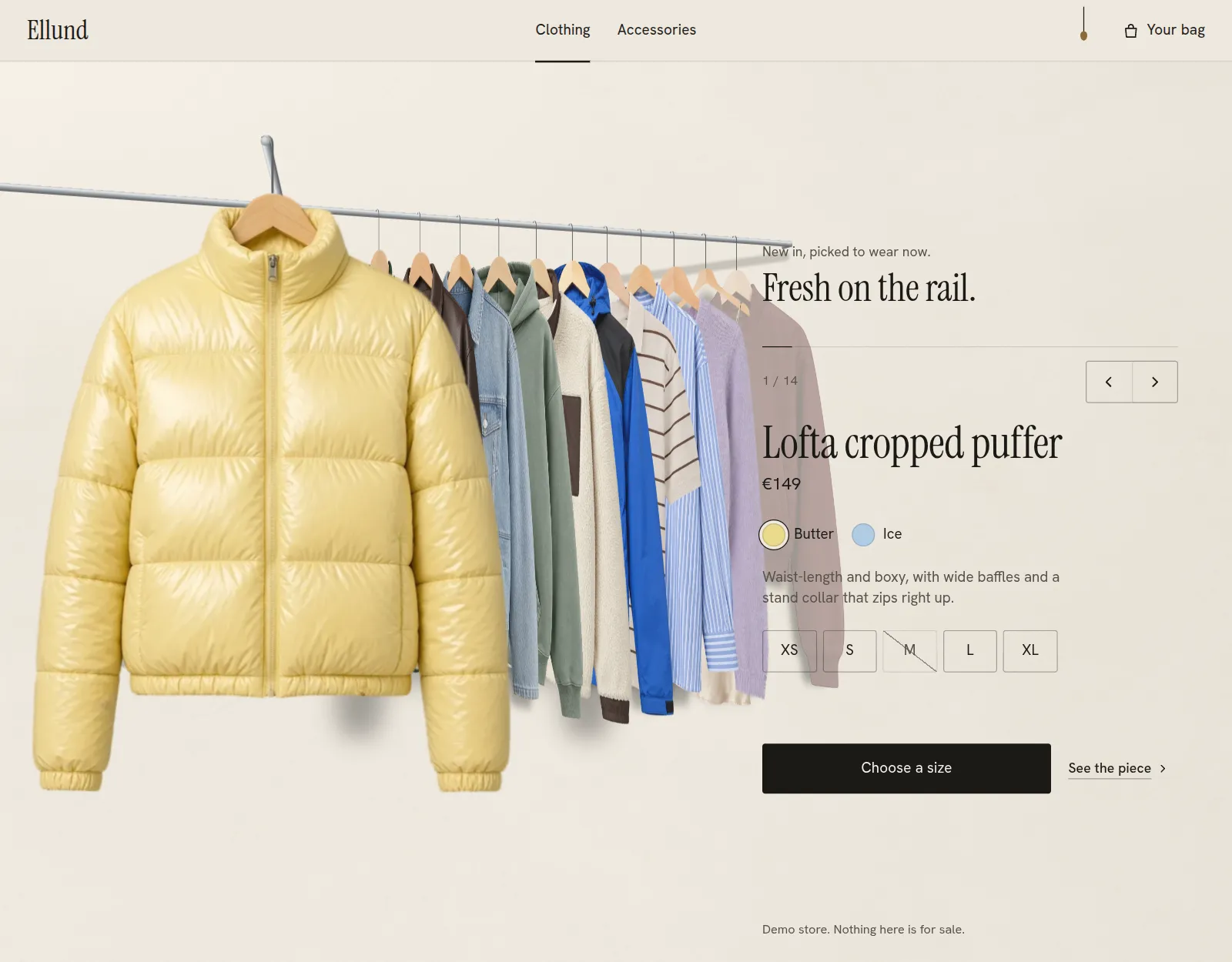
An endless 3D clothing rail for fashion stores in React: garments hang in true perspective, the piece in front faces you, and sizes, add to bag, a detail view and an accessory tray sit beside it. CSS 3D, no 3D library, light and dark.
Hangline is a clothing rail for fashion stores, as a React component. Garments hang on one steel rail in true perspective. The piece in front faces you from a short face-out arm, the rest wait along the rail edge on, and each casts its own soft shadow on the wall. Step, drag or flick, and the rail travels: the pieces swing a little on their hangers and settle. After the last piece comes the first again.
There is no 3D library and no canvas. The room is DOM elements and CSS transforms under one CSS camera, the pictures are plain <img> elements, and the component's JavaScript is 21.6 KB gzipped without React. This article is about the rail: the camera's maths, the one number that places every piece, the springs, the shadows, steel that Chrome would otherwise draw with stair steps, and an endless rail that never shows its seam. Each part comes with what surprised us while building it.
The demo rail holds 14 garments and a tray of 6 accessories. Every garment and accessory picture in the demo is AI-generated, and none of them is covered by the code's MIT licence. The companion article covers the pictures: how they were cut out so that they hang true, with their hook points, shadow masks and outlines.
One camera, in numbers
The whole room sits in one stage with CSS perspective. Inside it, a transform-style: preserve-3d world places every piece with translate3d and rotateY. The browser does the projection, but the component needs to know where anything lands on screen: the wall shadows, the hover tag, the steel, and the hit tests. So layout.ts repeats the browser's projection in plain numbers.
For a camera at distance P with its origin at (ox, oy), a point at depth z (positive towards the viewer) is drawn at scale s = P / (P − z), and its screen position is ox + (x − ox)·s, oy + (y − oy)·s. That is exactly what perspective: P with perspective-origin: ox oy does:
export function project(g: RoomGeometry, p: Vec3): { x: number; y: number; s: number } { const s = g.P / (g.P - p.z); return { x: g.ox + (p.x - g.ox) * s, y: g.oy + (p.y - g.oy) * s, s };}const rad = (d: number) => (d * Math.PI) / 180;export function railPoint(g: RoomGeometry, t: number): Vec3 { // t along the rail from the arm root, positive towards the back right const a = rad(RAIL_ANGLE); return { x: g.armRoot.x + t * Math.cos(a), y: g.railY, z: g.armRoot.z - t * Math.sin(a) };}
The choice that matters most is where z = 0 lies. It is the plane of the front piece, which hangs at scale 1. Every queued piece is further back, so it is drawn smaller than its layout size. The browser therefore only ever scales a picture down, and the front piece is never blurred by an upscale.
The rest of the room follows from the scene's height H. The camera sits 1.55 H away (1.7 H on a phone). A typical garment is 0.7 H tall. The rail runs 30° from the wall plane, and the face-out arm reaches 0.56 H towards you. A queued piece turns −70° on its hook, so it shows its front edge to the front left. The rail's front end is not a constant: the code walks forwards along the rail until the projected point is past the frame's left edge.
export function roomGeometry(W: number, H: number, mode: Mode, stageW = W, stageH = H, maxVisible = Infinity): RoomGeometry { const phone = mode === "phone"; const P = (phone ? 1.7 : 1.55) * H; const frontHeight = (phone ? 0.7 : 0.7) * H; // a typical canvas, from the hook point to the hem const pxPerSource = frontHeight / REF_CANVAS; const hookH = 0.088 * frontHeight; const railY = (phone ? 0.075 : 0.085) * H; const frontX = (phone ? 0.38 : 0.36) * W; const arm = (phone ? 0.5 : 0.56) * H; const front = { x: frontX, y: railY, z: 0 }; const armRoot = { x: frontX, y: railY, z: -arm }; const g: RoomGeometry = { W, H, stageW, stageH, P, ox: (phone ? 0.46 : 0.44) * W, oy: (phone ? 0.34 : 0.36) * H, railY, hookH, pxPerSource, frontHeight, front, armRoot, railStart: armRoot, railEnd: armRoot, wallZ: 0, gap: (phone ? 0.085 : 0.078) * H, firstGap: (phone ? 0.2 : 0.17) * H, light: { x: 0.3, y: 0.2, z: -1 }, visible: Math.min(phone ? 6 : 11, maxVisible), }; // the wall bracket, a little past the last visible piece const endT = g.firstGap + g.gap * (g.visible + 0.9); // just past the last piece, which takes the wall's tone g.railEnd = railPoint(g, endT); g.wallZ = g.railEnd.z - 0.05 * H; // the front-left end: walk forwards until the rail is past the frame's left edge (or close to the camera) let t = 0; while (t > -4 * H) { const p = railPoint(g, t); if (project(g, p).x < -0.05 * W || p.z > 0.5 * P) break; t -= 0.01 * H; } g.railStart = railPoint(g, t); return g;}
The stage and its worlds are a few lines of CSS. The stage is not preserve-3d itself, so each .hl-world is flattened into it in DOM order. That is what later lets a flat layer of steel sit between the wall's world and the pieces' world.
Pieces are never swapped, re-ordered or re-mounted. One number places each of them: u = index − railPosition. When the rail moves, the position changes, and every u changes with it:
// Where a piece hangs for any rail position. One number, u = (the piece's index) - (the rail's position),// says where every piece is; the rail moves by changing the position, never by swapping pieces.//// u >= 1 queued: slot u - 1 on the rail, turned on its hook// 0.5 <= u < 1 sliding along the rail from the first slot to the arm's root// 0 <= u < 0.5 out along the face-out arm, turning to face you (u = 0 is the front)// -0.25 <= u < 0 back along the arm to its root, turning back// -0.5 <= u < -0.25 along the rail to the front left, out of the frame// u < -0.5 gone (off the frame at the left)//// The incoming piece reaches the arm only after the outgoing one has left it (they are one unit of u apart,// and the arm is used for u in [-0.25, 0.5)), so two hangers never share the arm. Every hook's curl rests on// the rail or on the arm for every u, by construction.
The face-out arm is what makes this hard. The front piece leaves along the arm while the next one arrives along it. If both moved at once, two hangers would pass through each other on one bar.
The arm therefore belongs to u in [−0.25, 0.5). The outgoing piece holds it from 0 down to −0.25, and the incoming one from 0.5 down to 0. Pieces are exactly one unit of u apart and the arm's range is 0.75 long, so two pieces are never on the arm at once. For one instant in mid-step the front is empty, and it reads as a hand-over:
export function pose(g: RoomGeometry, u: number, shift = 0, aside = 0): Pose { if (u >= 0.5) { let t = u >= 1 ? g.firstGap + g.gap * (u - 1) + shift : g.firstGap * ((u - 0.5) / 0.5) + shift; let visible = u <= g.visible + 0.25; if (aside > 0) { const far = g.firstGap + g.gap * (g.visible + 0.25); const end = exitT(g) * 1.08; t -= aside * (far - end); if (t <= end + 0.5) visible = false; } return { at: railPoint(g, t), turn: QUEUE_TURN, visible, onArm: false }; } if (u >= 0) { const a = u / 0.5; // 1 at the root, 0 at the front return { at: lerp3(g.front, g.armRoot, a), turn: QUEUE_TURN * smooth(a), visible: true, onArm: true }; } if (u >= -0.25) { const a = -u / 0.25; return { at: lerp3(g.front, g.armRoot, a), turn: QUEUE_TURN * smooth(a), visible: true, onArm: true }; } const b = Math.min(1, (-u - 0.25) / 0.25); return { at: railPoint(g, exitT(g) * b), turn: QUEUE_TURN, visible: u >= -0.5, onArm: false };}
Pieces further down the line take the wall's tone, by aerial perspective. They are never see-through, because an outgoing garment that fades shows as a ghost over the text. Over each picture lies a layer of the wall's colour, masked by the garment's own picture, and its opacity follows the depth. It reaches 1 at the far end of the line, where the piece is fully the wall and can be hidden without a pop:
          if (vis) {
            el.style.transform = `translate3d(${p.at.x.toFixed(2)}px, ${p.at.y.toFixed(2)}px, ${p.at.z.toFixed(2)}px) rotateY(${turn.toFixed(3)}deg) rotateZ(${swing.toFixed(3)}deg)`;
            const depth = depthOf(g, u);
            // aerial perspective: up to about 10% of the wall's tone, and at the far end of the line the piece
            // takes the wall's tone completely, so it leaves the view without ever being see-through
            const tint = u <= 0.25 ? 0 : depth <= 1 ? 0.03 + 0.1 * depth : Math.min(1, 0.13 + (depth - 1) * 0.87 * 1.0001);
            const t = tintEls.current[i];
            if (t) t.style.setProperty("--hl-t", tint.toFixed(3));
            const c = contactEls.current[i];
            if (c) c.style.opacity = u > 0.7 ? "" : "0";
          }
None of this re-renders React. The room renders once, and on every animation frame paint() writes each piece's transform, tint and shadows straight to the DOM.
A callback that outlives its render
paint() is rebuilt whenever the geometry changes. A picture's decode, though, ends long after the render that started it, and the effect that waits for it runs once, when the picture mounts.
  // The decode of each photograph ends long after its first render, so the callback must reach the paint of
  // the room as it is then, not as it was: a stale paint from before the phone's layout (a scene 0 px tall)
  // drew every piece at one point when the pictures arrived.
  const paintRef = useRef(paint);
  paintRef.current = paint;
  const onReady = useCallback((i: number) => {
    if (ready.current[i]) return;
    ready.current[i] = true;
    if (lastMotion.current) paintRef.current(lastMotion.current);
  }, []);
Light on the wall
There is one light. Its direction is L = (0.3, 0.2, −1): it travels right, down and into the wall. A point's shadow is where the line along L from it meets the wall plane at wallZ: t = (wallZ − z) / L.z, and the shadow is p + t·L.
/** A point's shadow on the wall, along the light. */export function onWall(g: RoomGeometry, p: Vec3): Vec3 { const t = (g.wallZ - p.z) / g.light.z; return { x: p.x + g.light.x * t, y: p.y + g.light.y * t, z: g.wallZ };}
That direction was not the first one.
The shadow of a turned piece
A garment's shadow is its own alpha, blurred, drawn on the wall plane. It cannot just be moved, though, because a queued piece is turned −70°.
Take a point at local offset x across the picture. On a piece turned by θ it lands at x·cos θ across, and x·(−sin θ) towards the viewer. Cast onto the wall along L, that depth moves it a further (L.x / −L.z)·x·(−sin θ) across and (L.y / −L.z)·x·(−sin θ) down. So the shadow is the flat mask under a shear, matrix(a, b, 0, 1, 0, 0), where:
a = cos θ + (L.x / −L.z)·(−sin θ)
b = (L.y / −L.z)·(−sin θ)
The shear is taken about the shadow of the hook point.
Two masks are made per picture: a tight one (blurred by 1.2% of its height) for a piece near the wall, and a wide one (3.5%) for a piece pulled out from it. They cross over with the distance from the wall. A piece leaving through the frame's left edge takes its shadow with it, or a grey patch stays behind on the wall.
  const s = onWall(g, { x: at.x, y: at.y + g.hookH, z: at.z });
  // A local x offset on the turned piece lands at x cos(turn) and moves -x sin(turn) towards the viewer; on
  // the wall that depth becomes a further shift along the light, so the shadow is the mask sheared about
  // the hook point's own shadow.
  const r = (turn * Math.PI) / 180;
  const towards = -Math.sin(r);
  const a = Math.cos(r) + (g.light.x / -g.light.z) * towards;
  const b = (g.light.y / -g.light.z) * towards;
  const left = -ph.hook[0] * w - pad * w + HOOK_STEM_OFFSET * g.hookH;
  const top = -ph.hook[1] * h - pad * w;
  const tf = `translate(${(s.x - wall.x0).toFixed(1)}px, ${(s.y - wall.y0).toFixed(1)}px) matrix(${a.toFixed(4)}, ${b.toFixed(4)}, 0, 1, 0, 0) translate(${left.toFixed(1)}px, ${top.toFixed(1)}px)`;
  const width = `${(w * (1 + 2 * pad)).toFixed(1)}px`;
  const height = `${(h + 2 * pad * w).toFixed(1)}px`;
  // far from the wall the shadow is the softer, wider mask; the two cross over with the distance
  const farShare = Math.max(0, Math.min(1, 1 - Math.max(0, u) / 0.6));
  // a piece leaving through the frame's left edge takes its shadow with it: without this its wide soft
  // shadow stayed on the wall as a grey patch after the piece had gone
  const leaving = u < -0.25 ? Math.max(0, 1 - (-u - 0.25) / 0.2) : 1;
  for (const [el, k] of [[near, (1 - farShare) * leaving], [far, farShare * leaving]] as const) {
    el.style.transform = tf;
    el.style.width = width;
    el.style.height = height;
    el.style.setProperty("--hl-k", k.toFixed(3));
  }
Pointing at a piece in 3D
Hovering a queued piece turns it 16° towards you and parts the line behind it. At first, no queued piece answered the pointer at all.
/* Hit testing in the 3D room: the world's own box sits at z = 0, in front of every queued piece (they hang further back), and caught every pointer meant for them. Only the pictures take the pointer. */.hl-world,.hl-wall,.hl-world > div,.hl-piece,.hl-hook { pointer-events: none;}.hl-piece .hl-photo { pointer-events: auto;}/* With an outline, only the garment's own shape answers, never the photo's clear margin: the front piece's margin lies over the queued pieces beside it. */.hl-piece .hl-photo[data-hit] { pointer-events: none;}.hl-hit { position: absolute; inset: 0; pointer-events: auto;}
That was not all. The front piece's picture is a rectangle with a clear margin round the garment, and that margin lay over the visible edges of the next three pieces. Only the garment's own outline may answer, and the companion article shows how that outline is made.
Steel without stair steps
The rail and the arm began as thin boxes turned with rotateY, like everything else in the room. At device pixel ratios 1 to 1.5 they showed stair steps along both edges.
The projected tube
A round bar seen from anywhere is, on screen, a band between two straight edges. Those edges meet at the bar's vanishing point, because the bar's radius is drawn at the projection's scale at every point along it.
So Tube projects the two ends with the scene's own project() and takes the screen normal n, turned towards the light (which comes from the upper left). It offsets each end by r·s along n, so the two edges converge exactly as the bar would. f runs across the tube, from 0 on the lit edge to 1 on the shaded edge.
Shading a round bar takes bands, and how they meet matters:
Bands that share an edge harden it, because each one adds its own partial pixel of anti-aliasing.
Bands that only touch leave a hairline of wall between them.
So the bands are stacked from the shaded side to the lit side. Each band is drawn from beyond the lit edge (f = −0.5) to its own far edge, the next one is painted over it, and a single clip-path cuts the outline once:
function Steel({ g }: { g: RoomGeometry }) { const t = RAIL_T * g.H; const r = t / 2; const y = g.railY + r; const capOut = 0.012 * g.H; const d = { x: g.railEnd.x - g.railStart.x, z: g.railEnd.z - g.railStart.z }; const dl = Math.hypot(d.x, d.z); // the rail runs a radius past its bracket, so its end covers the bracket's joint const past = { x: g.railEnd.x + (d.x / dl) * r, y, z: g.railEnd.z + (d.z / dl) * r }; return ( <> <Tube g={g} className="hl-stub" r={r} a={{ x: g.railEnd.x, y, z: g.railEnd.z }} b={{ x: g.railEnd.x, y, z: g.wallZ }} /> <Tube g={g} className="hl-rail" r={r} a={{ x: g.railStart.x, y, z: g.railStart.z }} b={past} /> <Tube g={g} className="hl-arm" r={r} a={{ x: g.front.x, y, z: g.front.z + capOut }} b={{ x: g.armRoot.x, y, z: g.armRoot.z }} /> </> );}
The steel is now one flat layer between the wall's world and the pieces' world, so every hook is drawn in front of it. A real hook's curl passes behind the bar, so the drawn curl stops at the bar's top edge, where it would go behind:
      {/* stem from the neck up and the curl over the bar. The steel is drawn behind every piece (room.tsx), so the
          curl stops at the bar's top edge, where it would pass behind the bar: the first half of the curl's far
          side, split at its middle. */}
      <path
        d={`M ${HOOK_STEM_X} 100 L ${HOOK_STEM_X} 30 C ${HOOK_STEM_X} 19 ${HOOK_STEM_X - 3} 14.5 ${HOOK_STEM_X - 9} 14.5 C ${HOOK_STEM_X - 12} 14.5 ${HOOK_STEM_X - 14.375} 15.625 ${HOOK_STEM_X - 16} 17.5`}
        fill="none"
        stroke={`url(#${id}-steel)`}
        strokeWidth="3.4"
        strokeLinecap="butt"
      />
Checking the new rod in Firefox found something else.
/* Firefox draws no SVG that sits untransformed inside a preserve-3d piece: the hooks were missing there. A transform of its own brings them back. Firefox only, so Chrome gets no layer per hook. */@supports (-moz-appearance: none) { .hl-hook { transform: translateZ(0); }}
The motion: one spring for the rail, a pendulum for each piece
The rail's position x follows a critically damped spring towards its target x*:
ẍ = ω²(x* − x) − 2ω·ẋ, with ω = 7.6 rad/s
A command only moves x*. Position and speed carry on, so a second tap mid-move chains into one move, and nothing ever snaps. The simulation steps at 240 Hz inside each frame (semi-implicit Euler), and a long frame is cut to 50 ms, so a stalled tab does not leap. While nothing moves, no animation frame runs.
Each piece has its own pendulum, pushed by the rail's acceleration a:
θ̈ = −ωs²·(θ + k·a(t − d·u)) − 2ζ·ωs·θ̇
The terms:
ωs = 9.2 rad/s and ζ = 0.42: it settles in about 900 ms.
k = 0.085° per index/s² of acceleration.
The push arrives d = 0.028 s later for every place down the queue, so the swing travels along the line like a wave. The acceleration history is kept for half a second for that delay.
  /** The swing as drawn: soft-limited to about 3 degrees, so a big push never shows a flat top. */
  swingOf(i: number) {
    return SWING_MAX * Math.tanh(this.swing[i] / SWING_MAX);
  }
A drag sets the position directly, at the pointer's own speed. On release, the throw has a cap.
  /** Release: a flick throws the rail on, and the spring lands it on a piece. */
  release(vel: number) {
    this.dragging = false;
    this.vel = vel;
    // a flick throws the rail on by its speed, but never more than three pieces past where the finger let go
    const throwTo = this.pos + Math.max(-3, Math.min(3, vel * 0.22));
    this.target = this.loop ? Math.round(throwTo) : this.clamp(Math.round(throwTo));
    this.wake();
  }
The line parts behind a hovered piece
A hovered piece turns towards you, and each piece behind it moves back along the rail by its share of the hover, 0.06 H at most.
At first, that shift ran to the end of the line. It now closes again towards the far end. The paint walks the pieces in the order they hang, front first, and for each one it scales the shift by how far it still is from the end:
      // the line parts behind a hovered piece: each piece moves back by the hover of every piece ahead of it.
      // The parting closes again towards the far end, so the last piece never moves: moved back, a wide
      // piece's shadow reached the panel's words.
      let ahead = 0;
      let aheadU = 0;
      const end = g.visible + 0.25;
      let tag = -1;
      let tagHover = 0;
      let upgrade = false;
      // pieces in the order they hang along the rail, front first: on an endless rail that is not index order
      const us = garments.map((_, i) => m.uOf(i));
      const order = us.map((_, i) => i).sort((a, b) => us[a] - us[b]);
      const painted: PaintedPiece[] = new Array(garments.length);
      for (const i of order) {
        const u = us[i];
        const hv = u > 0.6 ? m.hover[i] : 0;
        const from = ahead > 0 ? aheadU / ahead + 1 : u;
        const close = ahead > 0 ? Math.min(1, Math.max(0, (end - u) / Math.max(0.5, end - from))) : 0;
        const p = pose(g, u, ahead * HOVER_ROOM * g.H * close, m.aside);
        ahead += hv;
An endless rail with no copies
The rail must never run out. Next after the last piece is the first, the queue is always full, and no piece may pop in, jump or show twice.
The usual way is to clone the list. That would double every pendulum, picture and shadow here. Instead, the rail position runs on past the ends, and each piece's place is its u wrapped onto one turn, [−SEAM, count − SEAM):
/** Where an endless rail's seam lies, in steps behind the front: just past the left exit, where a leaving piece * is already gone (u < -0.5). Its other side, count - SEAM, lies past the far end, where a piece has taken the * wall's tone. So a piece that leaves at the left rejoins the rail in the depth behind the last one, and comes * forward out of the wall's tone: never two places, never seen jumping. */export const SEAM = 0.55;/** u wrapped onto one turn of an endless rail: [-SEAM, count - SEAM). */export function wrapU(u: number, count: number) { return ((((u + SEAM) % count) + count) % count) - SEAM;}
SEAM = 0.55 puts both sides of the seam where nothing is seen:
The near side, u = −0.55, is just past the left exit. A leaving piece is already hidden from u < −0.5.
The far side, count − 0.55, lies past the last place drawn. With 14 pieces it is at 13.45. The line is drawn to visible + 0.25 = 11.25, and a piece has fully taken the wall's tone at visible + 0.4.
A piece that leaves at the front therefore rejoins the rail in the depth behind the last one. It comes forward out of the wall's tone with the rail's own perspective, and no frame can draw it twice. It only holds while the line drawn is shorter than the rail, so a small rail of 8 draws 6 places: maxVisible is the piece count minus two.
Everything that walked pieces by index now has to walk them by place:
the hover parting sorts the pieces by u;
each pendulum's delay down the queue uses the wrapped place;
a tap brings a piece forward by its place (bring);
Home, End, a deep link and Back take the shorter way round (goTo), so End from the first piece is one step back;
the counter rolls the way the rail went: 14 to 1 is a step on.
  /** Bring piece i to the front. On an endless rail by the shorter way round: End from the first piece is one
   * step back, not thirteen on. */
  goTo(i: number) {
    if (!this.loop) return this.moveTo(i);
    const cur = Math.round(this.target);
    let d = (((i - cur) % this.count) + this.count) % this.count;
    if (d > this.count / 2) d -= this.count;
    this.moveTo(cur + d);
  }

  /** Bring piece i to the front from where it hangs now: a tap on a queued piece moves the rail on by its place. */
  bring(i: number) {
    this.moveTo(Math.round(this.pos + this.uOf(i)));
  }
The check that proves it needed a fix of its own.
Loading the rest of an endless rail
On a rail with ends, the pieces past the far end can wait until the rail comes close. On an endless rail every piece comes round, from either side. A fast run of steps once found a piece entering before its picture was decoded, and it appeared mid-rail. So the rest of the rail has to load at some point, and when that point comes is a budget decision.
// What a piece's picture costs the first view. A queued piece is turned edge on and stands back// (about 0.7 of its size at the first place), so its picture is asked for at 0.75 of its width: at 1x that is the// 480 px file, still sharper than the screen there. It asks for its full size once it starts towards the front,// and keeps it. A piece beyond the far end of the line loads nothing until it is half a step from coming into// view, where it is still nearly the wall's tone.const QUEUE_SIZES = 0.75;const REACH = 0.75; // past the last place drawn (visible + 0.25), in steps
What a move costs the GPU
Every frame of a move rewrites the transforms of 14 pieces, their tints and 28 shadows. That is cheap only if the compositor can do it without painting.
.hl-tint { position: absolute; inset: 0; opacity: calc(var(--hl-t) * var(--hl-tint-k, 1)); background: var(--hl-wall); -webkit-mask-size: 100% 100%; mask-size: 100% 100%; pointer-events: none; /* its opacity changes every frame of a move: on its own layer that is the compositor's job, not a new raster of the piece's photo (about ten times fewer GPU rasters) */ will-change: opacity;}
The room has two stations, the rail and the accessory tray, and the view pans between them.
.hl-station { position: absolute; inset: 0; transition: transform var(--hl-pan-ms, 820ms) cubic-bezier(0.65, 0, 0.35, 1); /* Chrome keeps the layers of a station that waits off screen only while its transform is hinted: without it, the rail's hundred layers were freed while the tray was shown and rastered again on the way back, and the tray, mounted on intent, could not be rastered before its pan */ will-change: transform;}
A phone breaks that hint. There the card that opens a piece is position: fixed, and a hinted transform makes the station the box a fixed child is placed in, so the phone layout sets will-change: auto on the stations.
Choosing an accessory on the tray lifts it, softens its shadow and dims the others. Those transitions needed hints as well, and one of them was not obvious.
.hl-station-tray .hl-tray-wrap { transition: transform 0.6s cubic-bezier(0.2, 0.7, 0.2, 1); /* the tray sets back to 0.96 when a piece is chosen: hinted, its layer keeps the raster it has, instead of a new raster of the oak surface at the end of the move (50 to 133 ms frames) */ will-change: transform;}
Measuring all this had a trap of its own.
The phone, and the server's layout
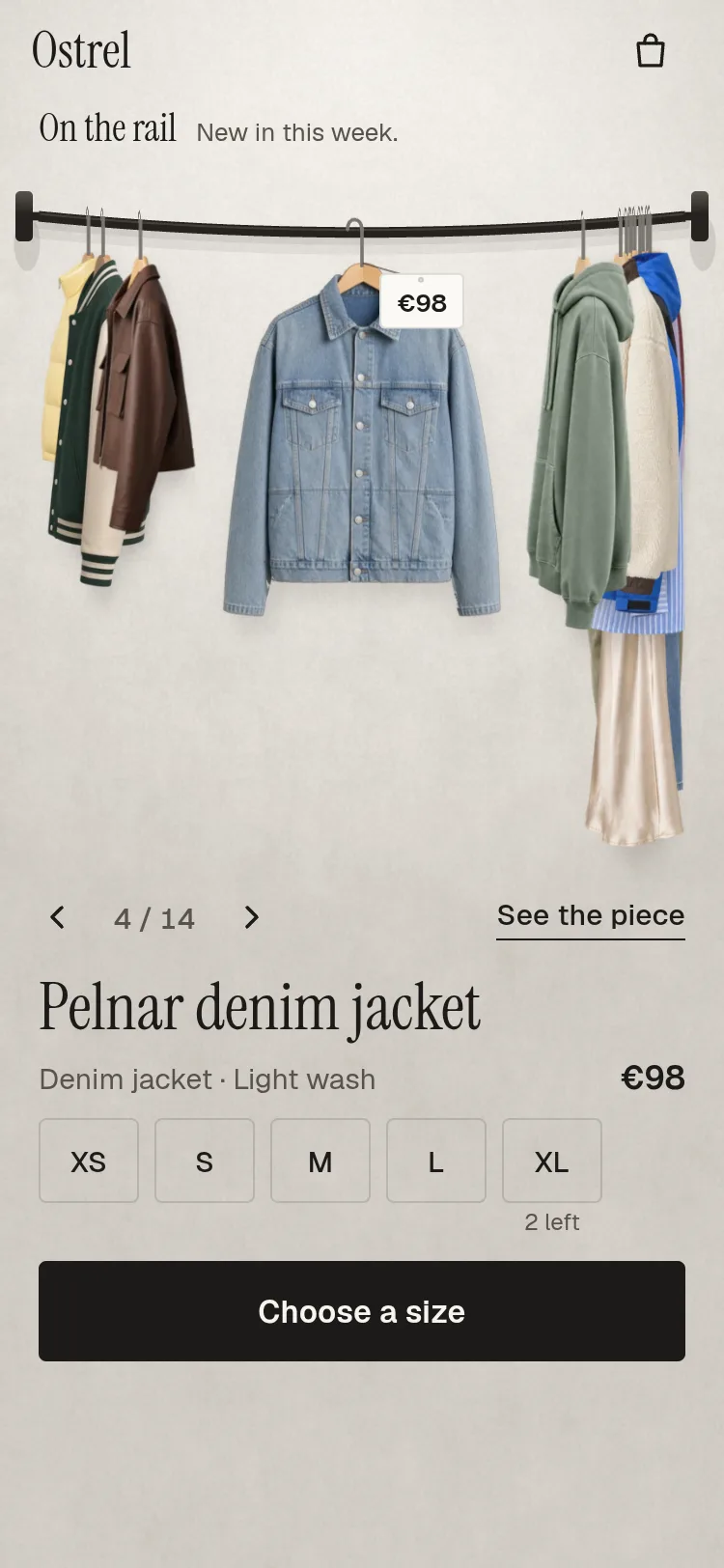
The component lays itself out from its own size: wide (the room on the left, a panel on the right), stacked, or a phone page. A landscape phone counts as a short wide screen, not a narrow one. On the server there is no size, so the server renders the wide layout.
  // The room is laid out only from a scene measured in the layout it will be drawn in. The first measurement
  // of a phone is made in the server's wide layout: drawing the room from it cost a whole render of every
  // piece, thrown away a moment later (about 330 ms with a 4x slower CPU). Instead the scene is measured
  // again as soon as the measured mode is in the page, before it paints.
  const layoutKey = `${mode}|${short ? "true" : ""}`;
  const g = useMemo(() => (scene && scene.w > 0 && scene.layout === layoutKey ? roomBox(scene.w, scene.h, mode, loop ? garments.length - 2 : Infinity) : null), [scene, mode, layoutKey, loop, garments.length]);
  useIsoLayoutEffect(() => {
    if (scene && scene.layout !== layoutKey) measureRef.current();
  }, [scene, layoutKey]);
Proving motion, frame by frame
Every claim above was checked on every frame of a move, not on a sample of screenshots. The tools fight you there.
  /** Review only: advance by dt seconds and paint, with no animation frame (filmstrips use it). */
  frame(dt: number): boolean {
    const busy = this.advance(dt);
    this.opts.onFrame(this);
    return busy;
  }
Checking that no text moves by layout during a move meant comparing every text box from one frame to the next.
Shipping it to UpFork
UpFork's importer lists the files a product's registry/ folder uses: the component, its stylesheet, the demo store's data and its pictures. Hangline's demo store keeps its page styles in a stylesheet of its own beside the component.
The import found no warnings, the code scan was clean, and the preview built, yet the save refused the product.
Make it yours
Install it, then give it your own pictures and data:
garments is the rail: each garment has colourways, and each colourway has a hanger photo with its hook, size, shadow masks and optional outline.
loop (default true) is the endless rail; set it to false for a rail that stops at its ends.
wheel="rail" lets a vertical wheel move the rail instead of scrolling the page.
syncUrl keeps the open piece in the address.
The room's proportions are all in roomGeometry (layout.ts): the camera distance, the rail's angle, the arm's reach and the light's direction. Change them there, and every shadow, hook, tube and hit test follows, because all of them come from the same projection.
The Python pipeline behind Hangline's AI-generated garment pictures: a signed LAB key, clean edges, hook points found by shape, colourways, shadow masks and an edge audit. 21 lessons.
Ramin ValadanProved GitHub account and website, confirmed e-mail: checked by UpFork·28 min read··AI
21 lessons
Behind the build
Behind the build · Turnrail — Fashion Shop Product Carousel & Detail Sheet for React Native and Expo
How Turnrail turns a garment from its front photo to its side photo in perspective, bunches the rail's ends, swings each piece as a pendulum and keeps a drag at 1:1, with Reanimated on the web too.
Ramin ValadanProved GitHub account and website, confirmed e-mail: checked by UpFork·32 min read··AI
18 lessons
Behind the build
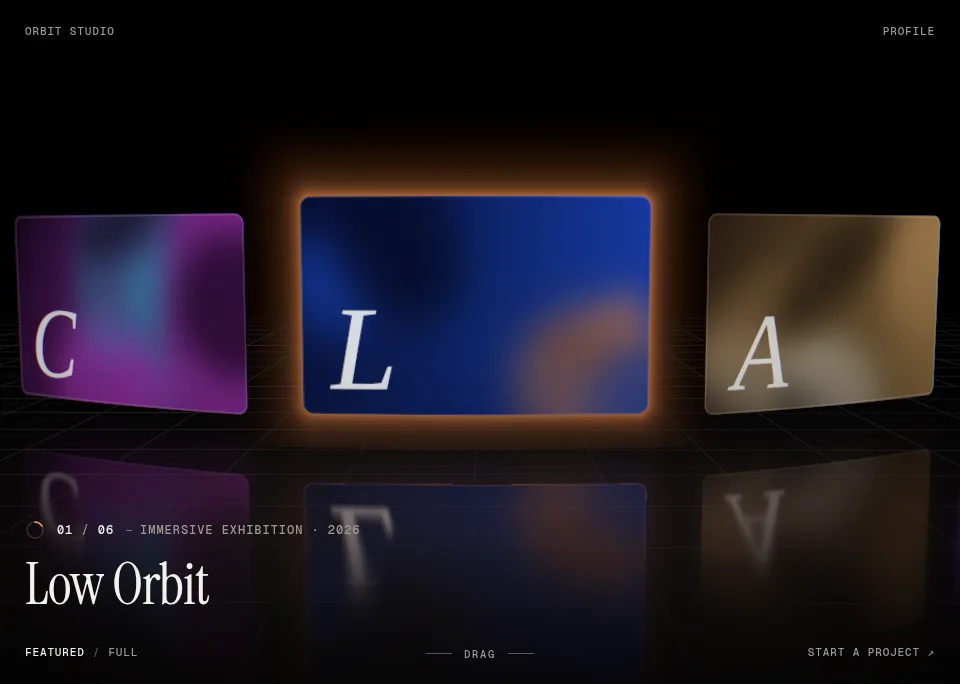
Behind the build · OrbitGallery — 3D Carousel for React & Three.js (WebGL)
How OrbitGallery's headless store makes every fling land exactly on a card without React re-rendering, and the colour-space, drei and build traps we hit with three.js.
Ramin ValadanProved GitHub account and website, confirmed e-mail: checked by UpFork·12 min read··AI·1

Comments
0 comments
No comments yet. Questions, what you built with it, what could be better: its developer reads them.
Sign in to comment.
Sign in to comment