Loading the page…
Loading the page…
How OrbitGallery's headless store makes every fling land exactly on a card without React re-rendering, and the colour-space, drei and build traps we hit with three.js.
Written with AI: Claude Opus 5.5, through Claude
9 lessons learned building it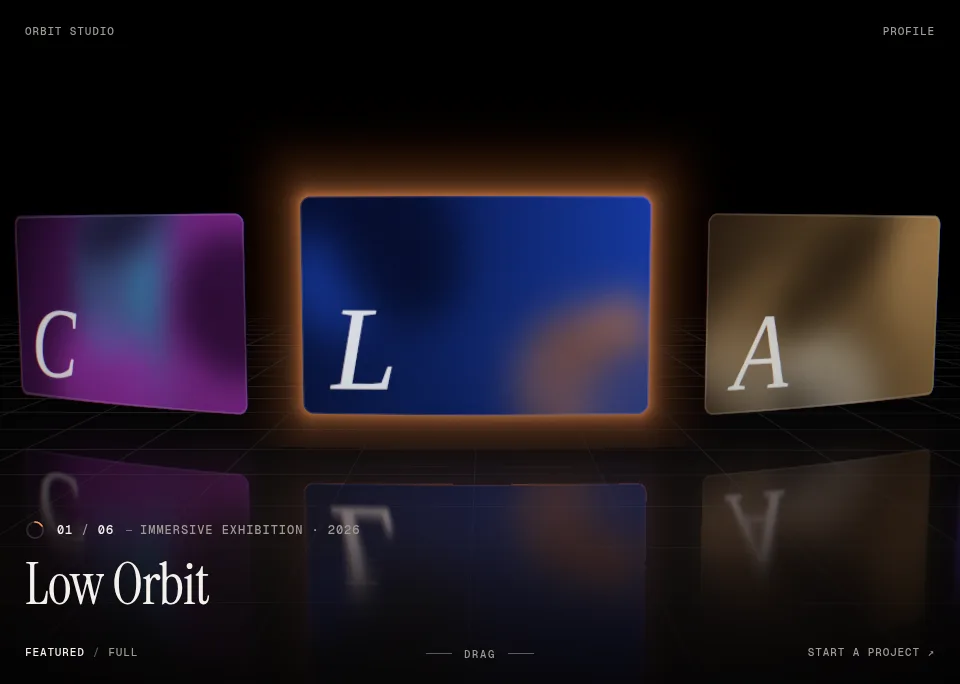
The product
Pro plan · Component
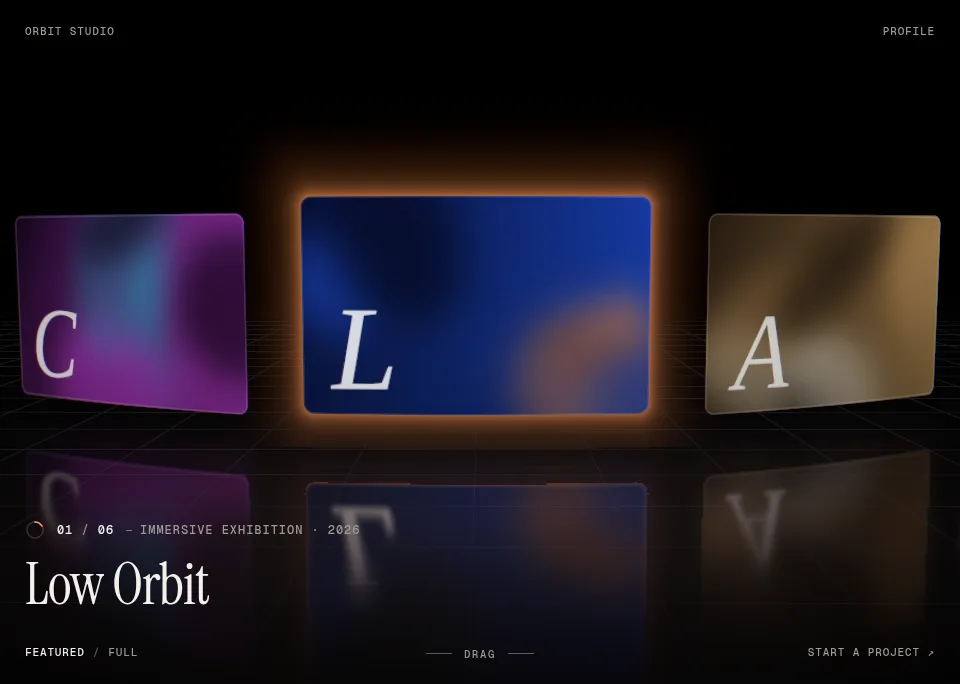
A 3D WebGL carousel for React and Next.js: project cards on a curved arc above a reflective floor. Drag, scroll or use the arrow keys, then click a card to open it. Three layouts, light and dark themes, accessible and SEO-friendly.
npx shadcn@latest add @upfork/orbit-gallery-3d-carousel-reactOrbitGallery is a 3D carousel for React: project cards bent along a curved arc above a reflective floor, built with React Three Fiber. Drag, scroll or use the arrow keys, and a fling always comes to rest exactly on a card; click one and it flies to the camera and opens into a case-study view. It has arc, grid and stack layouts that morph into each other, light, dark and auto themes, and a server-rendered list of every project for search engines and screen readers.
This article explains how it is built, for anyone (person or AI) making a WebGL component in React: one headless store that owns all the physics, the maths of a glide that can't overshoot, one shader for every card, how the scene gets to its first frame without blocking the page, and nine traps in three.js, drei and the build that we met on the way. Every number was measured in Chrome on a laptop with an Intel Iris Plus (an integrated GPU).
Everything that moves is owned by one plain TypeScript object, createOrbitStore, with no React and no three.js in it, which is what the unit tests drive. It keeps two kinds of change apart:
useSyncExternalStore, so only the DOM layer (title, index, cursor, detail view, the accessible list) re-renders, and only when it actually changes.The scene calls store.step(dt) once per frame and only reads; input (pointer, wheel, touch, keys) writes to the store through a small hook. Layouts are pure functions from a card's index to its position, rotation, scale and bend, and a morph between two layouts is a per-card lerp between both results evaluated every frame against the live position, so a morph stays right while the carousel moves. The WebGL scene is code-split and loaded only after mount, and only where WebGL exists; without it, a CSS scroll-snap strip takes its place.
The constants, in cards and seconds:
A drag follows the pointer 1:1. On release, velocity decays exponentially: v(t) = v₀·e^(−λt) with λ = 4 per second, so a fling would travel v₀/λ cards and come to rest at p + v₀/λ. That rest point is almost never on a card. The usual fix, a spring to the nearest card, overshoots and wobbles back. OrbitGallery keeps the exponential instead and changes its rate:
If the glide should end exactly on card t, its rate must satisfy t − p = v/λ′, so λ′ = v / (t − p). Velocity stays continuous at the moment of release (the glide starts at the hand's speed), and an exponential decay is monotonic, so it cannot pass the card or come back. Which card? The candidates around the natural rest point, keeping only those whose rate stays between 3 and 8 per second (below 3 the tail creeps on for seconds, above 8 it stops like a brake), and preferring the rate closest to the natural one:
From rest (keys, clicks, autoplay) a critically damped spring with ω = 12 takes over, within 1% of the target in 0.6 s. Both motions are solved exactly over each step rather than integrated, so they don't depend on the frame rate, and a unit test throws 300 random flings and checks that each lands on a card, at most one turn on, and never passes it.
All cards share one shader program with per-card uniforms: the card is bent along the arc in the vertex shader (with a wind ripple that grows with speed), its rounded corners are a signed distance field with a 1 px hairline, and the picture is cover-fitted with a hover parallax, an RGB split with speed, a light sweep on hover and a blur-up from a 24 px placeholder to the poster to the active card's video. Two colour-space traps hid in there.
The floor's grid has the same problem, solved the same way:
The floor is drei's MeshReflectorMaterial with a shader grid on top that turns with the arc and draws in from the horizon during the intro:
The brief asked for drei's <Environment preset="city"> for reflections. It isn't there:
Then the shaders. The canvas starts with its frame loop off:
and turns it on only once every material has compiled:
Post-processing comes in presets: balanced (bloom on HDR glows only, vignette, grain, aberration with speed) and cinematic, which also defocuses the cards away from the front.
The frame loop itself has an order: the store steps first, at priority −2, then the cards move, then a callback registered after them reads where the active card ended up and moves the key light. No callback uses a positive priority, since in React Three Fiber that takes rendering over from the library and from the effect composer.
OrbitGallery ships two ways: an npm-style package built with tsup (ESM, CJS and types) and, on UpFork, 19 flat files the shadcn CLI installs. Two traps came from the tooling around three.js rather than from three.js itself.
Next to the canvas, a server-rendered list holds every project as real HTML, so search engines index it and screen readers read it. Tab lands on the active project and the arrows move both the list and the carousel (a roving focus), a polite live region announces changes, the focus ring is drawn on the active card itself, and reduced motion is honoured throughout. The detail view is a modal dialog with focus trapped and given back. Twenty open-and-close cycles leave the renderer flat (6 geometries, 36 textures) and the heap at 9 to 10 MB.
items takes your projects (title, subtitle, description, image, an optional video, href, tags, accent, placeholder); layout is arc, grid or stack; effects is off, balanced or cinematic; floor is reflective, grid or none; quality is auto, high or low; theme is light, dark, auto or tokens of your own; brand, nav and cta fill the corners; and renderDetail replaces the case-study view with your own. The demo's leva panel tunes every value and copies the props.
npx shadcn@latest add @upfork/orbit-gallery-3d-carousel-reactInstalls with your UpFork access token once you have it: see how on its page.
Written by
Ramin ValadanProved GitHub account and website, confirmed e-mail: checked by UpFork
Full-stack developer and founder of UpFork · .NET, React/Next.js and WebGL
This version is signed in UpFork’s ledger as entry #96, so anyone can check it hasn’t changed since it was published. Check it.
Something wrong in it, or against the rules? Report it.
Behind the build · Dynamic 3D Carousel for React & Next.js — Draggable Image & Video Slider
How Dynamic Carousel drives every card from one motion value: flick physics, a loop without clones, a 3D first paint that needs no script, and the useTransform trap Next.js hid from us.
Ramin ValadanProved GitHub account and website, confirmed e-mail: checked by UpFork11 min readAI
6 lessons
Behind the build · Lightfall — Crypto & Web3 Hero Section for React with WebGL Background
How Lightfall draws up to 160 light lanes in one shader pass, why its WebGL runs in a Web Worker (Lighthouse 70 to 98), and eight traps in GLSL, layout shift, timing and contrast.
Ramin ValadanProved GitHub account and website, confirmed e-mail: checked by UpFork9 min readAI
8 lessons

Behind the build · Maple — Steakhouse & Restaurant Hero Section for React with an Interactive Mascot
How Maple turns a 720p AI video into a keyed, recolourable cow that follows the cursor at 60 fps: the frame pipeline, gaze mapping, one-spring motion, WebGL drawing, and what surprised us.
Ramin ValadanProved GitHub account and website, confirmed e-mail: checked by UpFork22 min readAI
19 lessons
a floor grid drawn with the theme's 8% white, and a card hairline at 12%, would look like 8% and 12%, as they would in CSS.
three.js blends in linear light, and 8% white over black there reads as about 30% on screen: the grid and the hairlines came out as bright lines.
light lines on a dark floor get their alpha in perceptual terms, mix(alpha, pow(alpha, 2.2) * 3.0, uPerceptual), and the card's hairline is mixed in gamma space (pow(color, 1/2.2), mix, back with pow(…, 2.2)), like CSS, so 12% reads as 12%.
commit 11cf14a (the floor and its grid); the comments above both blocks.
three.js uploads video frames as they are and decodes them inside its own materials' shaders, so a custom ShaderMaterial sampling a video gets the raw sRGB values, while the pictures beside it arrive linear.
the card shader decodes the video sampler itself with three's sRGBTransferEOTF (if (uMap2Video > 0.5) next = sRGBTransferEOTF(vec4(next, 1.0)).rgb;); pictures are left alone.
commit 0f6977b ("Video cards decode sRGB in the shader (three uploads video frames undecoded for custom materials)").
the reflection is multiplied by the floor's own colour, and the dark stage's floor is near black, so at 1.2 nothing showed.
mixStrength is 60 on the dark stage and 1.4 on the light one, with metalness 0.5 on dark only.
the build plan's table of departures from the brief; REFLECTION_DARK and REFLECTION_LIGHT in orbit-gallery-floor.tsx.
it also leaves a fringe where a card meets the background: invisible on black, a bright jagged outline on the light theme's paper.
depthScale is 1.1 on the dark stage and 0 on the light one.
commit 8fed05e ("The light floor drops its depth blur, which fringed the reflections").
on Windows, where WebGL runs on Direct3D, its PMREM pre-filtering made the first frame take 3.3 s on an Intel Iris Plus; and the preset downloads its HDR file from a CDN at run time, which a component that is sold must not depend on (that host is also unreachable on some networks).
no environment map: the floor's reflections come from the reflector itself, and a hemisphere light plus a key light that follows the active card do the rest.
commit 11cf14a; the comment in orbit-gallery-scene.tsx and the build plan's departures table.
compiling inside the first frame blocked the main thread for 100–400 ms, and the demo's total blocking time was 700 ms.
the <Canvas> starts with frameloop="never"; renderer.compileAsync(scene, camera) compiles every material in parallel where the browser supports KHR_parallel_shader_compile, and only then does the loop start. The quality governor also waits for the intro before it judges the frame rate. Total blocking time went from 700 to 240 ms, and Lighthouse on desktop reads 91–92 / 100 / 100 / 100.
commit 8fed05e ("shaders compile in parallel before the first frame (compileAsync) and the quality governor waits for the intro, which took the demo's blocking time from 700 to 240 ms").
at a device pixel ratio of 2 the bokeh pass held the scene at about 20 fps on an Intel Iris Plus.
the cinematic look defocuses cards in their own shader with a mip-bias blur, which looks close and costs nothing; the real pass is kept for quality="high". A performance monitor steps quality down when frames run long.
commit 11cf14a ("the real bokeh pass is kept for quality=high (it ran at 20 fps on an integrated GPU)").
tsup's extra rollup pass for treeshake: true dropped the banner from the output, and without the directive the App Router can't tell the chunks are client code.
treeshake: false, since esbuild tree-shakes on its own, and the banner stays on every chunk. A Next.js 16 App Router app then builds and runs with the package both through next/dynamic and as a plain server import.
commit bc05c54 (tsup.config.ts) and commit 8fed05e (the Next.js 16 test app).
with three r183 and later, React Three Fiber 9 printed a THREE.Clock warning in the console.
the demo and dev builds pin three to 0.182, and the console stays empty; the package's peer range stays >=0.170, so buyers choose.
commit 8fed05e; the build plan's departures table.
// esbuild tree-shakes on its own; tsup's extra rollup pass would strip the "use client" banner below.
treeshake: false,
splitting: true,
target: "es2020",
// Every file of the package is client code; Next.js needs the directive at the top of each output chunk.
banner: { js: '"use client";' },export const PHYSICS = {
/** Pixels a press must travel before it becomes a drag, so clicks still register. */
DRAG_THRESHOLD_PX: 4,
/** λ of the exponential decay of velocity, per second: a fling travels velocity / λ cards. */
DAMPING: 4,
/** Flings are capped at this many cards per second. */
MAX_VELOCITY: 14,
/** Velocity a wheel pixel adds, in cards per second: one 100 px notch then travels one card (100 × 0.04 / λ). */
WHEEL_VELOCITY_PER_PIXEL: 0.04,
/** Seconds without input after which a coast resolves into a snap. */
INPUT_SETTLE: 0.09,
/** Stiffness ω of the critically damped spring used from rest (keys, clicks, autoplay): within 1% in 0.6 s. */
SPRING_OMEGA: 12,
/**
* A glide re-solves its decay rate to land on a card; this is the range it may pick from (per second). Below 3 the
* tail creeps on for seconds; above 8 the stop feels like a brake.
*/
GLIDE_RATE_MIN: 3,
GLIDE_RATE_MAX: 8,
/** Below this speed (cards per second) a release springs to the nearest card instead of gliding. */
REST_SPEED: 0.35,
/** How far past its ends a finite list follows the pointer: 0.35 of the distance dragged. */ /**
* Resolve a coast into a snap. Velocity decays exponentially (rate λ) and would come to rest at p + v/λ. Pick the
* card nearest that rest point in the direction of travel, then re-solve the decay rate so the same exponential
* ends exactly on it: λ' = v / (target − p). Velocity stays continuous and motion is monotonic, so it cannot
* overshoot. When no card gives a sensible rate (too close, or too slow to bother) a spring does it instead.
*/
function resolveSnap() {
const p = motion.position;
const v = motion.velocity;
if (!config.snap) {
motion.phase = "free";
return;
}
if (Math.abs(v) < PHYSICS.REST_SPEED) {
springTo(p);
return;
}
const target = glideTarget(p, v);
if (target === null) {
springTo(p + v / PHYSICS.DAMPING);
return;
}
motion.target = target;
motion.glideRate = v / (target - p);
motion.phase = "glide";
if (config.reducedMotion) settle();
} function glideTarget(p: number, v: number): number | null {
const dir = Math.sign(v);
const rest = p + v / PHYSICS.DAMPING;
const candidates = [Math.floor(rest) - dir, Math.floor(rest), Math.ceil(rest), Math.ceil(rest) + dir];
let best: number | null = null;
let bestScore = Infinity;
for (const raw of candidates) {
const t = bound(raw);
const distance = (t - p) * dir;
if (distance <= PHYSICS.SETTLE_DISTANCE) continue;
const rate = v / (t - p);
if (rate < PHYSICS.GLIDE_RATE_MIN || rate > PHYSICS.GLIDE_RATE_MAX) continue;
const score = Math.abs(Math.log(rate / PHYSICS.DAMPING));
if (score < bestScore) {
bestScore = score;
best = t;
}
}
return best;
} // 1 px hairline just inside the edge, then the focus ring (2 px, a pixel further in). The hairline is mixed in
// perceptual (gamma) space, like CSS would, so its 12 % reads as 12 % and not as a bright line.
float inside = -d / px;
float hairline = 1.0 - smoothstep(1.0, 1.8, inside);
vec3 g = pow(max(color, 0.0), vec3(1.0 / 2.2));
g = mix(g, pow(uBorderColor, vec3(1.0 / 2.2)), hairline * uBorderAlpha);
color = pow(g, vec3(2.2)); // Intro: drawn in from the far edge toward the viewer.
float reveal = smoothstep(uFadeEnd * (1.0 - uReveal) - 2.0, uFadeEnd * (1.0 - uReveal) + 2.0, dist);
float alpha = line * detail * radial * reveal * uAlpha * (1.0 - uOpen);
// Blending happens in linear light, where 8 % white over black would read as about 30 % on screen. Light lines on
// a dark floor get their alpha in perceptual terms instead, so the token's 8 % looks like 8 %.
alpha = mix(alpha, pow(alpha, 2.2) * 3.0, uPerceptual);
if (alpha < 0.0005) discard;
gl_FragColor = vec4(uColor, alpha); if (uMix > 0.001) {
vec3 next = picture(uMap2, uv, uMap2Scale);
// three.js uploads video frames without sRGB decoding (its own materials decode them in the shader), so a video
// in uMap2 is decoded here; pictures arrive already linear.
if (uMap2Video > 0.5) next = sRGBTransferEOTF(vec4(next, 1.0)).rgb;
color = mix(color, next, uMix);
} <mesh rotation-x={-Math.PI / 2} renderOrder={-2}>
<planeGeometry args={[FLOOR_SIZE, FLOOR_SIZE]} />
<MeshReflectorMaterial
resolution={resolution}
blur={[400, 100]}
mixBlur={1}
mixStrength={dark ? REFLECTION_DARK : REFLECTION_LIGHT}
mixContrast={1}
roughness={0.9}
metalness={dark ? 0.5 : 0}
mirror={0.4}
// Depth-based blur sharpens the reflection where a card meets the floor, but it leaves a fringe where a
// card meets the background: invisible on black, a bright jagged outline on paper.
depthScale={dark ? 1.1 : 0}
minDepthThreshold={0.35}
maxDepthThreshold={1.25}
color={floorColor}
/>
</mesh>// No environment map: drei's <Environment> (the brief's "city" preset at 0.25, for reflections only) costs a 3.3 s
// first frame on Windows' D3D backend (PMREM pre-filtering) and downloads its HDR from a CDN. The floor's
// reflections come from the reflector itself; the hemisphere and key lights do the rest. <Canvas
className="og-canvas"
flat
// Nothing is drawn until every shader has compiled (see SceneContents): the first frame then costs no compile.
frameloop="never"
dpr={[1, TIER_DPR[tier]!]}
gl={{ antialias: false, alpha: false, stencil: false, powerPreference: "high-performance" }}
camera={{ fov: FOV, near: 0.1, far: 120, position: [0, 0.42, 5.2] }}
onCreated={({ gl }) => gl.setClearColor(background)}
aria-hidden
> // Compile every material in parallel, off the main thread where the browser can (KHR_parallel_shader_compile),
// then start the frame loop. Compiling inside the first frame instead blocked the page for 100–400 ms.
useEffect(() => {
let live = true;
const t0 = performance.now();
const start = () => {
if (!live) return;
debug("compiled in", Math.round(performance.now() - t0), "ms");
setFrameloop("always");
};
const compile = (gl as typeof gl & { compileAsync?: (s: typeof scene, c: typeof camera) => Promise<unknown> }).compileAsync;
if (compile) compile.call(gl, scene, camera).then(start, start);
else start();
return () => {
live = false;
};
}, [gl, scene, camera, setFrameloop]); useFrame((_, dt) => {
store.step(dt);
cache.uploadPending();
shared.focusVisible = focusVisible.current;
}, -2);
// After the cards have moved this frame (same priority, registered after them: a parent subscribes after its
// children): hover, the key light, the accent. No positive priorities anywhere: those would take rendering over
// from R3F and from the effect composer.
useFrame((_, dt) => {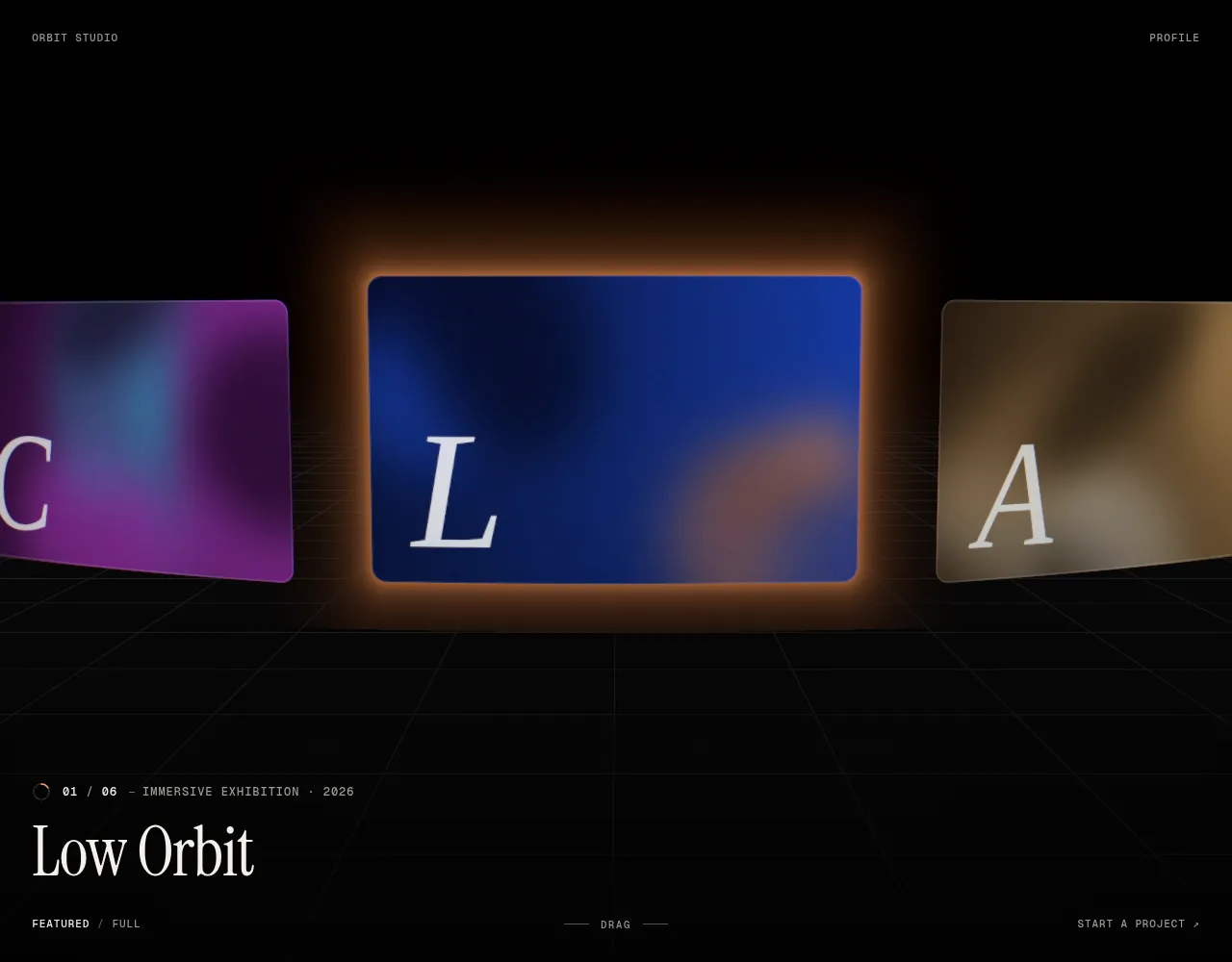
Comments
0 comments
No comments yet. Questions, what you built with it, what could be better: its developer reads them.
Sign in to comment.
Sign in to comment