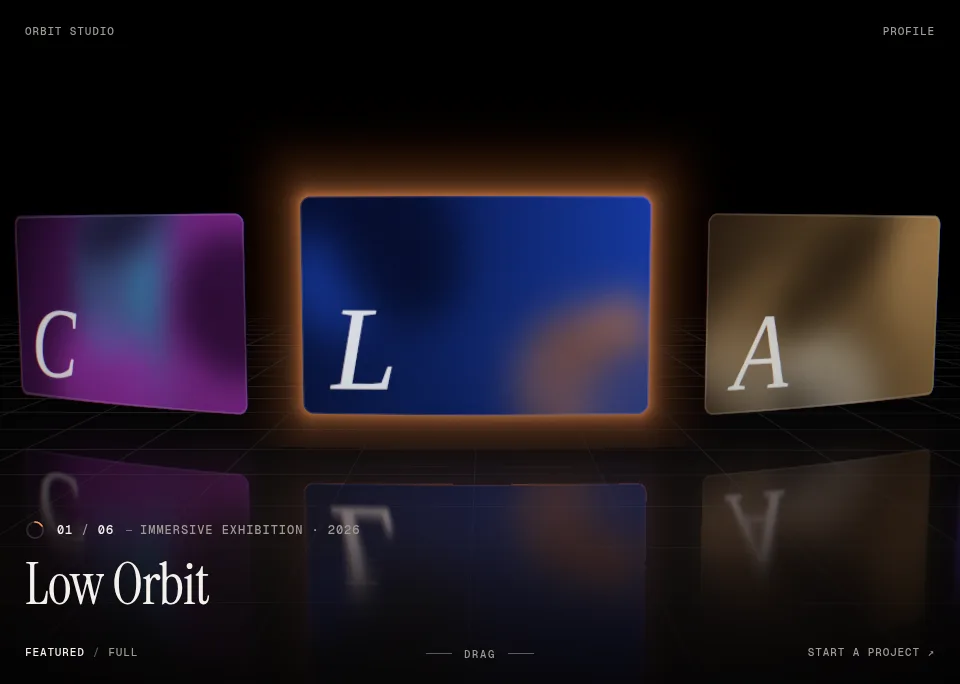
Loading the page…
Loading the page…
How Dynamic Carousel drives every card from one motion value: flick physics, a loop without clones, a 3D first paint that needs no script, and the useTransform trap Next.js hid from us.
Written with AI: Claude Opus 5.5, through Claude
6 lessons learned building it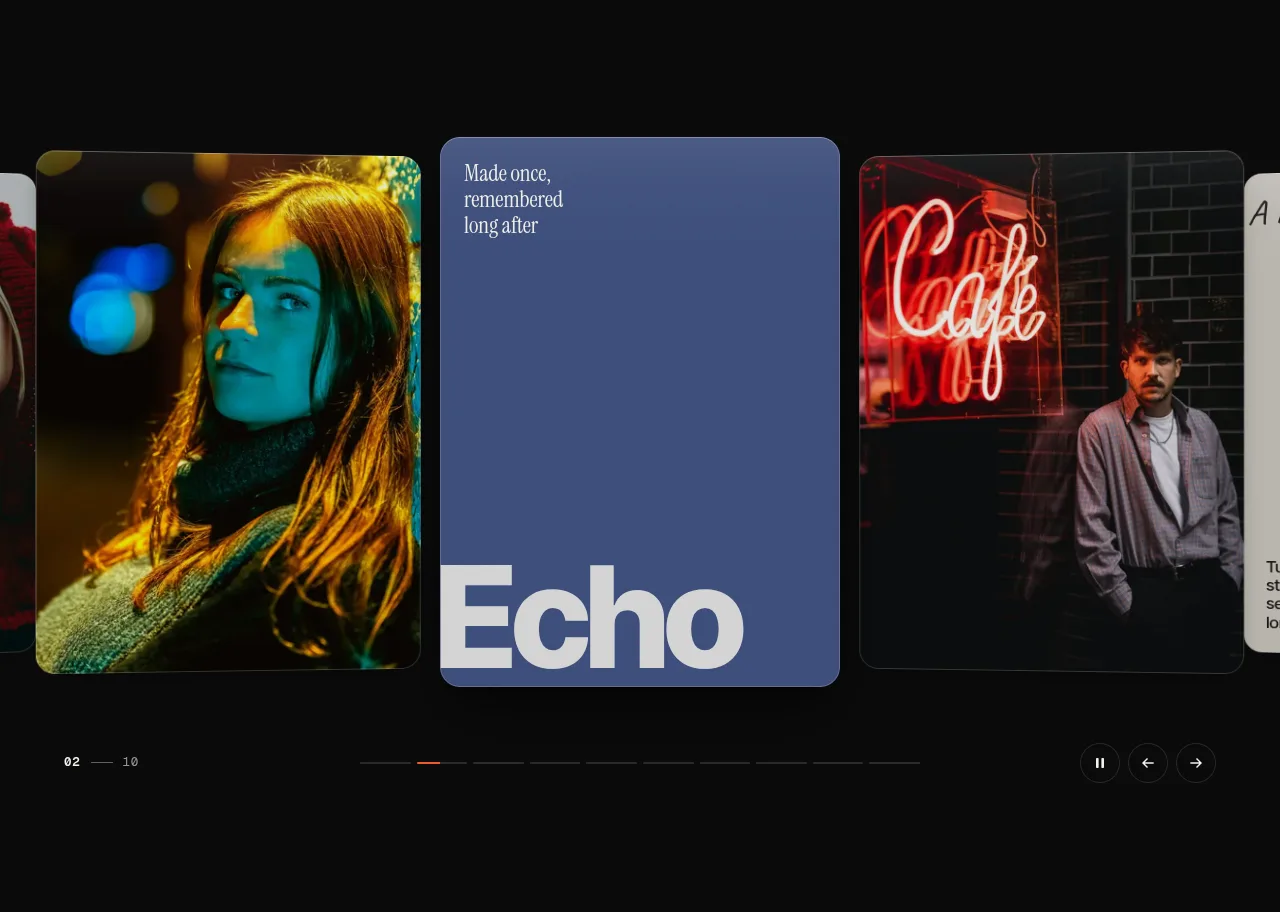
The product
Dynamic 3D Carousel for React & Next.js — Draggable Image & Video SliderPro plan · Component
The product
Pro plan · Component
A draggable 3D carousel for React and Next.js: photo, video and text cards on a curved arc with momentum, a seamless infinite loop, autoplay and a click-to-expand detail view. Built with Motion, keyboard and screen-reader accessible, light and dark.
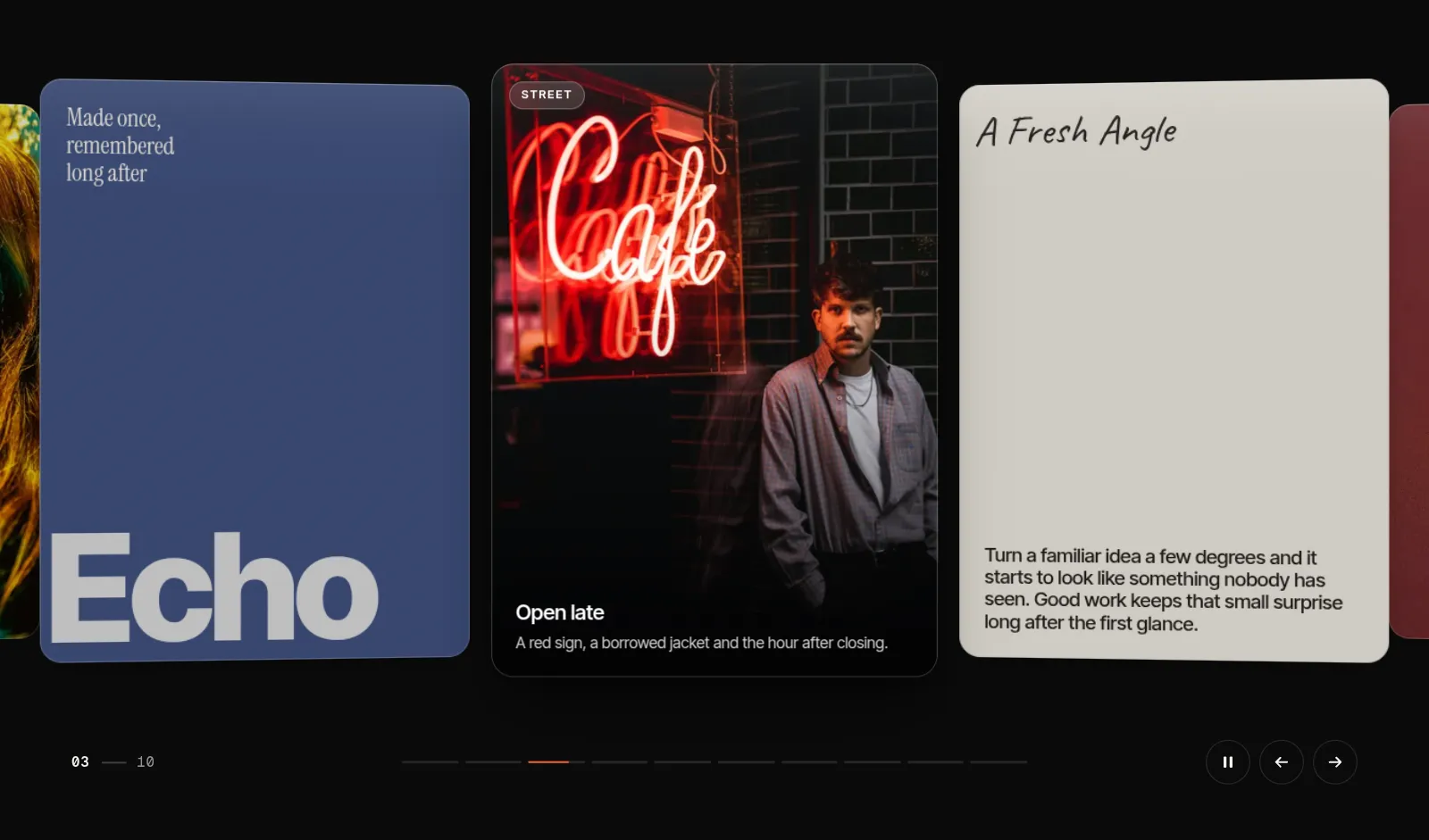
npx shadcn@latest add @upfork/dynamic-3d-carousel-reactDynamic Carousel is an editorial carousel for React: photo, video and typographic cards on a shallow 3D arc. Cards follow the finger 1:1, a flick carries them with weight and always lands on a card, the loop has no seam at any speed, cards lean into fast motion and settle with a small overshoot, and the active card opens into a detail view it morphs into. It runs on its own small physics engine built on motion values, and React never renders while it moves.
This article explains how it works, for anyone (person or AI) building a carousel or any gesture-driven component in React: one number drives everything, a velocity tracker and a projection decide where a throw lands, the loop wraps each card on its own instead of cloning slides, the first paint is laid out in CSS so the server and the browser agree, and a few things about motion and the browser that surprised us. The component is 13.3 kB gzipped, made 0 React commits across a drag, 20 wheel events, four key presses and 9.5 s of autoplay, and scores 90–95 / 100 / 100 / 100 in Lighthouse on desktop, with LCP at 1.1 s and CLS 0.
The whole carousel is one motion value: offset, the track's position in px. Every card works out its own distance from the anchor, d in cards, and its whole pose from d: where it sits, how far it turns and steps back, its scale, how much it dims, how far its caption has risen and how far its picture has slid inside the frame. A drag sets offset; a snap animates it; autoplay, the arrows, the keys and the wheel all animate the same value with the same spring, so every movement feels like the same object.
The resting pose on the arc, for a distance d and an arc strength depth:
At the default depth of 0.55 the cards next to the active one turn 5° and step back 50 px, and the ones after them come out at about 0.9 of the active card's size: a gentle curve with air in it, not a coverflow.
On top of the pose, cards lean into motion. The lean comes from the track's velocity, passed through a spring of its own:
That spring (stiffness 260, damping 21) has a damping ratio of about 0.65, so when the cards stop, the lean springs back past upright and settles. That small overshoot is most of why it feels physical. The values object is made once for the component's lifetime, so the memoised cards never re-render because of it.
The usual infinite carousel clones slides at both ends and jumps back when you reach a clone, which shows as a hitch at speed. Here every card wraps on its own:
A card's position is wrapped into [−L/2, L/2) around the anchor, where L is the loop's length (the number of slides times the step from one card to the next). Each card leaves one side and comes in on the other when its own position crosses the edge, off stage, so no card is ever jumped back in view. When the loop would be shorter than the stage plus a card's margin on each side (a few slides on a wide screen), the slides are laid round it two or more times. Going to a slide takes the shortest way round.
When the hand lets go, three small pure functions decide where the cards come to rest.
Velocity. A tracker keeps the last five pointer samples from the last 100 ms and averages the speed of each step between them, weighting later steps more, so the release speed is what the hand was doing at the end, not over the whole drag. A pointer that stopped more than 60 ms before letting go has no velocity: a drag that stops and lifts lands where it is.
Projection. How far a flick would carry on its own:
A body moving at v px/ms that keeps a fraction k of its speed every millisecond covers v·k + v·k² + … = v·k / (1 − k). With k = 0.99644 that is about 280 ms worth of the release speed: a 3 px/ms flick carries about 840 px, two cards at 424 px each.
Snap. The landing point is rounded to the nearest card, with two rules:
No flick travels more than half the slides from where the gesture began, and a quick flick that would round back to its own card moves one card in the direction it was thrown, so a short sharp swipe always does something.
Then the track springs there, carrying the hand's velocity into the spring (px/ms × 1000 = px/s) so there is no stutter between the drag and the animation:
The snap spring is stiffness 170, damping 26, mass 1.1: a damping ratio of 26 / (2√(170 × 1.1)) ≈ 0.95, heavy enough to feel like an object being set down and just short of critical, so a flick carries a hair past and lands without a wobble. With reduced motion the same calls become a 200 ms ease-out tween.
A press becomes a drag once it moves 6 px. On touch the carousel only takes a gesture that has gone 8 px and more sideways than up or down; anything steeper scrolls the page (touch-action: pan-y). A press while the track is still moving catches it and is never a click. When the press lifts:
Horizontal wheel and trackpad movement drives the cards 1:1 and lands on a card 120 ms after the last event. A vertical wheel over the carousel can move the cards too (wheel="hijack"), but never at the page's expense:
A vertical wheel moves the cards only when at least 85% of the carousel is in view and the gesture began on it: if the page was already scrolling when the carousel arrived under the pointer, it keeps scrolling. The page takes over again at the ends of a straight track, and after one full lap of a loop. A notched mouse wheel moves one card per notch on the same spring as everything else.
Everything per frame is a motion value: the offset, each card's d, transform, visibility, dim, caption reveal and parallax, the lean, the cursor. React renders the cards once and then only on resize or when props change. To check it, a counter on React DevTools' global hook counted commits on the demo: 0 across 9.5 s of autoplay, a drag and snap, 20 wheel events and four key presses. Only transforms and opacity animate; the card's two shadows are baked layers cross-faded by opacity, and will-change is set while the track moves and cleared 300 ms after it rests.
Computed motion values made this possible, and they also hid the worst bug of the build. Each card derives its values from the track like this:
The server doesn't know how wide the stage is, so it can't compute the arc in px. CSS can: container queries set the step between cards, the anchor's shift and the arc's strength as CSS variables, and the server writes each card's transform in terms of them:
The arc is right in the server's HTML, before any script runs, and when the engine measures the stage and takes over, nothing moves: CLS 0. Cards more than three from the anchor start hidden.
The pictures nearest the anchor load eagerly with a high fetch priority. How they appear mattered as much as when they load:
Clicking the active card opens it into a large view, and the card's face flies there (a FLIP: the large copy starts at the card's rectangle and springs to its own). For the type inside not to jump as it grows, everything in a card is sized in a unit tied to the card's width:
--dc-u is a quarter of a container-query percent, 1 px on a 400 px card, so the large copy's type is the same layout scaled up and the morph only scales it. Where the morph starts needs care too:
Inside the view, ← and → move through the slides and the carousel behind follows, so closing lands on the card you were looking at. Focus is trapped while it is open and given back to the card when it closes.
Titles and captions rise over the active picture on a gradient scrim:
The track is one tab stop with the active card as the only other one (a roving tabindex), ← → Home End move it, Space plays or pauses, Enter opens the card. A polite live region says "Slide 3 of 9, The Perspective" 450 ms after the active slide changes, so a flick across five cards is announced once. Autoplay pauses on hover, under keyboard focus, while dragging, in a hidden tab and when less than half the carousel is in view, and stops for good once the viewer takes control. With reduced motion, snaps become short tweens, lean and parallax are off, autoplay waits for the play button and the detail view cross-fades instead of morphing. axe finds no violations, light or dark, with the detail view open.
slides takes any mix of image, video, statement, text, stat and custom cards; depth, tilt and parallax set the feel (0.55, 0.6 and 0.5 are the tuned defaults), cardWidth, gap and aspect the size, theme and accent the colours, and renderImage lets you draw pictures with next/image. The demo's Tune panel (?tune) has live sliders for every value and copies the props it ends on.
npx shadcn@latest add @upfork/dynamic-3d-carousel-reactInstalls with your UpFork access token once you have it: see how on its page.
Written by
Ramin ValadanProved GitHub account and website, confirmed e-mail: checked by UpFork
Full-stack developer and founder of UpFork · .NET, React/Next.js and WebGL
This version is signed in UpFork’s ledger as entry #79, so anyone can check it hasn’t changed since it was published. Check it.
Something wrong in it, or against the rules? Report it.
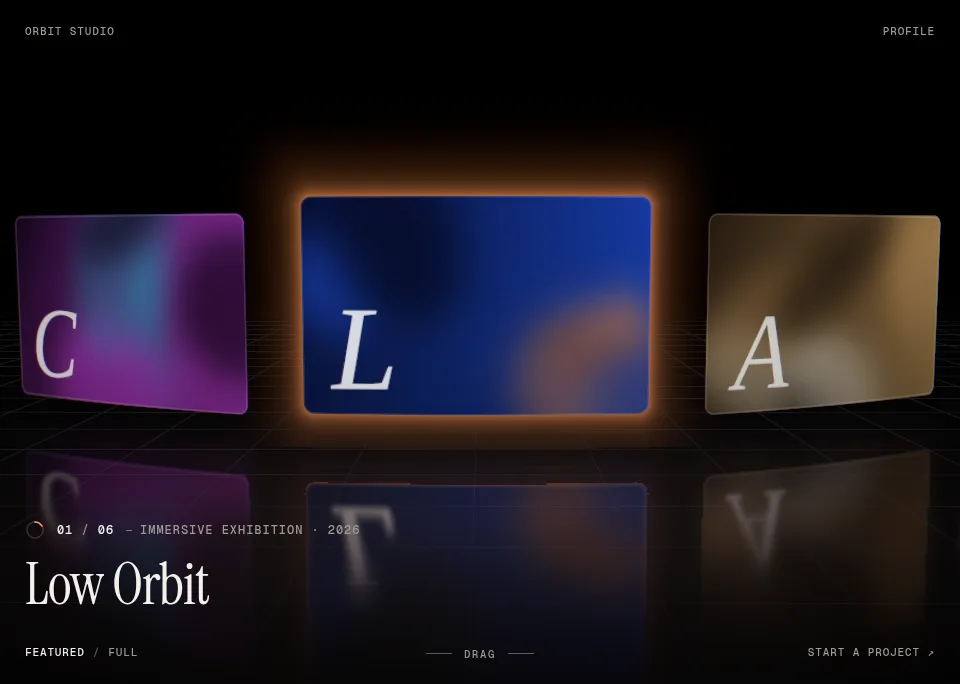
Behind the build · OrbitGallery — 3D Carousel for React & Three.js (WebGL)
How OrbitGallery's headless store makes every fling land exactly on a card without React re-rendering, and the colour-space, drei and build traps we hit with three.js.
Ramin ValadanProved GitHub account and website, confirmed e-mail: checked by UpFork9 min readAI
9 lessons
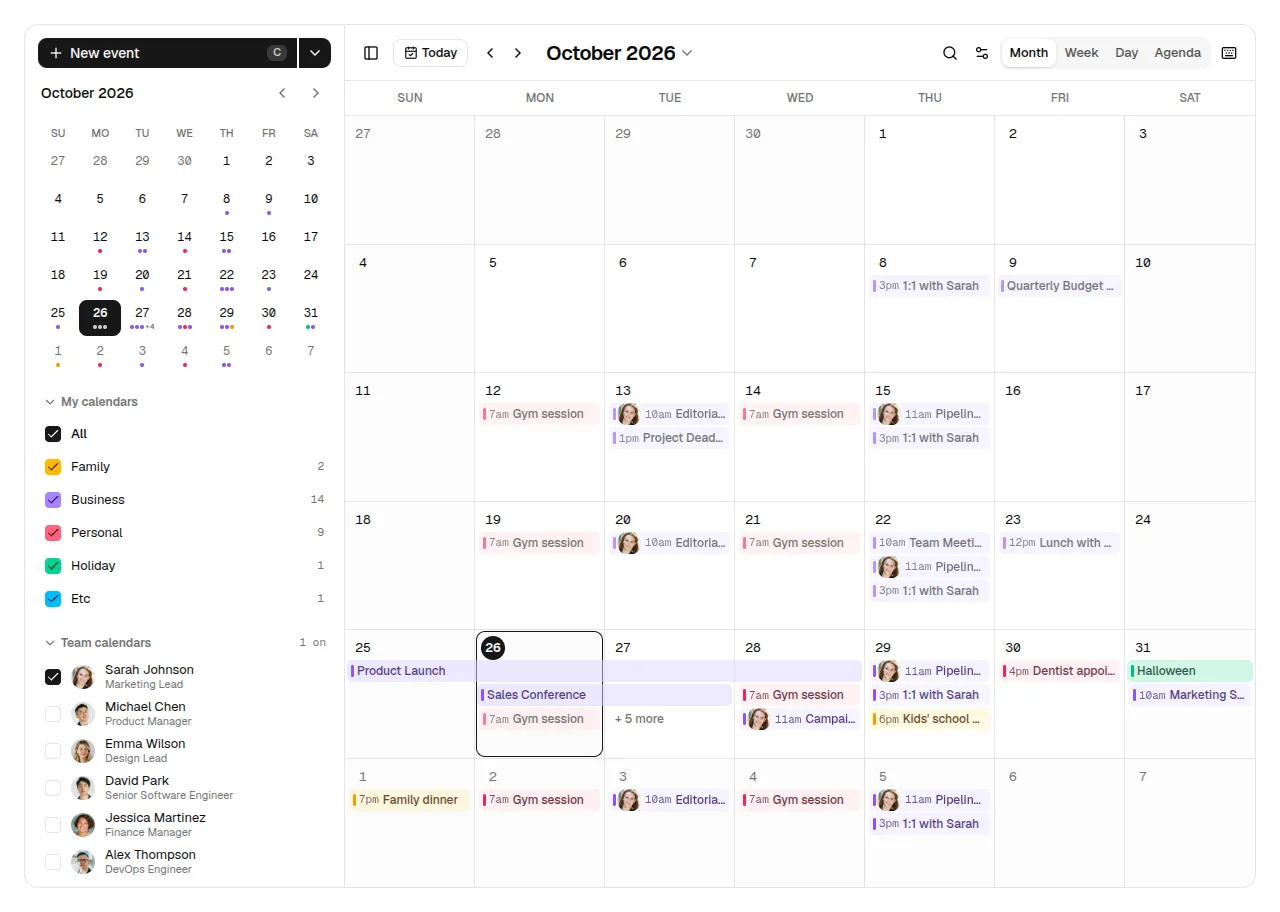
Behind the build · Daybook — Event Calendar & Scheduler for React, shadcn/ui & Tailwind (Drag & Drop)
How Daybook lays out overlapping events, moves them by mouse, touch and keyboard with dnd-kit, and eight traps we hit in zustand, Base UI, dnd-kit, the React Compiler lint and WCAG.
Ramin ValadanProved GitHub account and website, confirmed e-mail: checked by UpFork7 min readAI
8 lessons

Behind the build · Mailroom — Email Client & Inbox UI for React, shadcn/ui and Tailwind
How Mailroom builds a three-pane email client on shadcn/ui: one store per inbox, TipTap loaded in idle time, autosave that stops on send, and six traps from Radix, ProseMirror and the DOM.
Ramin ValadanProved GitHub account and website, confirmed e-mail: checked by UpFork6 min readAI
6 lessons
after setPointerCapture on the track, the pointer events that follow, and the click after them, go to the track, not to the card under the pointer, so the click could not tell which card was tapped.
the gesture records the card under the pointer at pointerdown, before capture (slot: slotAt(e)). On release, a press that moved less than 6 px and lifted within 500 ms is a tap on that card: the active card opens, any other card is brought to the anchor. The click event that follows any press on the track is swallowed.
commit 98e4f3c; Gesture.slot and release in useCarouselEngine.ts.
each card's distance returned early while the stage was still unmeasured (if (!g.measured) return k0), before it read offset. Its first run never read offset, so it never subscribed to it. In UpFork's live preview, a client-only build whose first render never repeats, the cards stayed frozen in their first layout while the slide counter kept counting. In the Next.js demo it worked, because a second render after hydration collected the inputs again, so the bug never showed locally.
every computed value reads all of its inputs before any branch (const g = geometry.get(); const at = offset.get();, then the early return). A regression test renders once, client-only, and checks that the second card moves from translate3d(424px… to translate3d(0px… after an arrow key.
commit 98e4f3c; the test "moves the cards themselves, in a render that never repeats (a client-only app, UpFork's preview)".
the nearest pictures render with data-loaded already in the server's HTML (shown at once by CSS), with loading="eager", fetchpriority="high" and synchronous decoding; the rest still fade in. A ref callback marks pictures that finished before hydration. LCP is 1.1 s.
commit 98e4f3c; Picture in CarouselSlideCard.tsx.
onError sets data-error, and .dc-img[data-error] { visibility: hidden; } leaves the blurred plate. The demos also keep their own background transparent (--dc-bg: transparent), so the frame they are shown in shows through without a seam.
commit 98e4f3c; styles.css line 218.
the rectangle includes whatever transform the element carries at that moment. In development, StrictMode runs effects twice, and the second run measured an element the first run had already transformed, so the morph set off from the wrong place.
homeRect takes the element's own transform off, measures, and puts it back, all in one synchronous step, so the morph's home is the same however often the effect runs.
commit 98e4f3c; homeRect in CarouselDetail.tsx.
the scrim's darkest stop went to 0.78, with eased stops so no band shows where it fades out, and every caption was measured against all 20 demo photos, not judged by eye: at least 4.5:1 on each.
commit 98e4f3c; the comment above .dc-scrim.
/**
 * The card's resting pose on the arc for distance d (cards from the anchor) and arc strength `depth`:
 * neighbours turn towards the viewer and step back, so the row reads as a shallow curve, not a coverflow.
 */
export function arc(d: number, depth: number) {
  const a = Math.abs(d);
  return {
    rotateY: clamp(d, -3, 3) * -9 * depth,
    z: -Math.min(a, 4) * 90 * depth,
    scale: 1 - Math.min(a, 3) * 0.045 * depth,
    dim: Math.min(a, 2) * 0.18 * depth,
  };
} // One object for the component's lifetime, so the memoised cards never re-render because of it.
const values = useMemo<EngineValues>(
() => ({ offset, geometry, index, progress, autoplayState, inView, cursorX, cursorY, cursorMode }),
[offset, geometry, index, progress, autoplayState, inView, cursorX, cursorY, cursorMode],
);
const velocity = useVelocity(offset);
const lean = useSpring(velocity, LEAN_SPRING);/**
* Where a card sits relative to the anchor, in px, given the track's offset.
*
* With `loopLength` the result wraps into [-L/2, L/2): every card moves round the loop on its own, so the loop
* has no seam at any offset or speed and nothing is ever cloned or jumped back. Without it the track is straight.
*/
export function slotPosition(base: number, offset: number, loopLength?: number): number {
const x = base - offset;
return loopLength ? mod(x + loopLength / 2, loopLength) - loopLength / 2 : x;
}/**
* How far a flick carries on its own: the distance a body moving at `velocity` (px/ms) covers while it slows by
* the factor `decel` every millisecond, i.e. v · decel / (1 − decel). The default 0.99644 carries a flick 0.28 s
* worth of its release speed: a fast flick (3 px/ms) skips two cards, a lazy one lands on the next.
*/
export function projectDistance(velocity: number, decel = 0.99644): number {
return (velocity * decel) / (1 - decel);
}/** Below this release speed (px/ms) a gesture is a placement, not a flick. */
export const FLICK_SPEED = 0.3;
/**
* Where a released gesture comes to rest: the projected landing point, snapped to the nearest card boundary.
* A flick never travels more than half the slides from where the gesture began, and a quick flick that would
* round back to its own card moves one card in the direction it was thrown.
*/
export function snapTarget({ offset, startOffset, velocity, step, count, loop }: SnapInput): number {
const start = Math.round(startOffset / step);
let target = Math.round((offset + projectDistance(velocity)) / step);
const cap = Math.max(1, Math.floor(count / 2));
target = clamp(target, start - cap, start + cap);
if (target === start && Math.abs(velocity) > FLICK_SPEED && Math.sign(offset - startOffset) === Math.sign(velocity)) {
target = start + Math.sign(velocity);
}
if (!loop) target = clamp(target, 0, count - 1);
return target * step || 0; // never -0
} /** Animate the track to `to` px; `velocity` (px/ms) carries a release into the spring so nothing stutters. */
function animateTo(to: number, velocity?: number) {
anim?.stop();
target = to;
const done = () => {
if (target === to) {
target = null;
anim = null;
}
};
anim = animate(
v.offset,
to,
o.reduced
? { ...REDUCED_TWEEN, onComplete: done }
: { ...SNAP_SPRING, ...(velocity === undefined ? {} : { velocity: velocity * 1000 }), onComplete: done },
);
} function release(e: PointerEvent, cancelled: boolean) {
const gs = gesture;
if (!gs || e.pointerId !== gs.id) return;
gesture = null;
if (track) capture(track, e.pointerId, false);
if (gs.phase === "pending") {
// A touch that never travelled: a tap, unless it caught the track mid-flight.
suppressClick = true;
if (gs.caught || cancelled) settle();
else tapSlot(gs.slot);
return;
}
const tap = !cancelled && !gs.moved && !gs.caught && e.timeStamp - gs.t0 < 500;
// Taps are handled here (pointer capture would send the click to the track, not the card); the click
// event that follows any press on the track is swallowed.
suppressClick = true;
const velocity = cancelled ? 0 : -tracker.velocity(e.timeStamp);
if (tap) tapSlot(gs.slot);
else {
const { step: s } = g();
animateTo(snapTarget({ offset: v.offset.get(), startOffset: gs.start, velocity, step: s, count: o.count, loop: o.loop }), velocity);
}
if (!gs.touch) cursorOver(e);
} // Vertical wheels move the cards only when the carousel is (nearly) all in view and the gesture began on it.
if (vertical && (o.wheel !== "hijack" || wheel.page || v.inView.get() < 0.85)) return;
const delta = vertical ? dy : dx;
if (!delta) return;
const at = v.offset.get();
// Never trap the page: at the ends of a straight track, and after one full lap of a loop, the page scrolls.
if (!o.loop && ((delta < 0 && at <= 0.5) || (delta > 0 && at >= maxOffset() - 0.5))) return;
if (vertical && o.loop && wheel.travel >= (o.count - 1) * g().step - 1) return;
e.preventDefault(); // Computed motion values subscribe to the values they read on their first run, so each reads all of its inputs
// before any early return (the first run happens before the stage is measured).
const d = useTransform(() => {
const g = geometry.get();
const at = offset.get();
if (!g.measured) return k0;
return slotPosition(slot * g.step, at, g.loopLength || undefined) / g.step;
});
const transform = useTransform(() => {
const g = geometry.get();
const dd = d.get();
const v = lean.get();
if (!g.measured) return cssTransformFor(k0);
return transformFor(dd * g.step + g.shift, dd, g.depth, v, g.tilt);
});/**
* The same pose written with the stylesheet's own variables, for the first paint: the server does not know the
* stage's width, but CSS does, so the arc is right before any script runs and nothing moves when it does.
*/
export function cssTransformFor(k: number) {
const a = Math.abs(k);
return (
`translate3d(calc(${k} * var(--dc-step) + var(--dc-shift)),0,calc(${r(-Math.min(a, 4) * 90)}px * var(--dc-depth-eff))) ` +
`rotateY(calc(${r(clamp(k, -3, 3) * -9)}deg * var(--dc-depth-eff))) ` +
`scale(calc(1 - ${r(Math.min(a, 3) * 0.045, 1000)} * var(--dc-depth-eff)))`
);
} // First-screen pictures are drawn as soon as they arrive (no fade that would wait for hydration).
data-loaded={priority ? "" : undefined}
ref={(el) => {
if (el?.complete && el.naturalWidth) loaded(el);
}}
onLoad={(e) => loaded(e.currentTarget)}
// A picture that fails leaves its blurred plate, never the browser's broken-image alt text.
onError={(e) => e.currentTarget.setAttribute("data-error", "")}/* A unit that is 1px on a 400px-wide card, so everything inside a card scales with it (and with the detail
view's larger copy, which is why the open morph is seamless). */
.dc-face {
--dc-u: 0.25cqw;/** Where an element sits without its own transform (the morph's home), whatever the transform is right now. */
function homeRect(el: HTMLElement | null) {
if (!el) return null;
const prev = el.style.transform;
el.style.transform = "none";
const rect = el.getBoundingClientRect();
el.style.transform = prev;
return rect;
} /* Eased stops (no visible band). Strong enough for white captions on the brightest demo photo (4.5:1). */
background: linear-gradient(
to top,
rgb(0 0 0 / 0.78) 0%,
rgb(0 0 0 / 0.7) 10%,
rgb(0 0 0 / 0.55) 20%,
rgb(0 0 0 / 0.34) 32%,
rgb(0 0 0 / 0.16) 44%,
rgb(0 0 0 / 0.05) 54%,
rgb(0 0 0 / 0) 64%
);
Comments
0 comments
No comments yet. Questions, what you built with it, what could be better: its developer reads them.
Sign in to comment.
Sign in to comment