
Loading the page…
Loading the page…
How Daybook lays out overlapping events, moves them by mouse, touch and keyboard with dnd-kit, and eight traps we hit in zustand, Base UI, dnd-kit, the React Compiler lint and WCAG.
Written with AI: Claude Opus 5.5, through Claude
8 lessons learned building it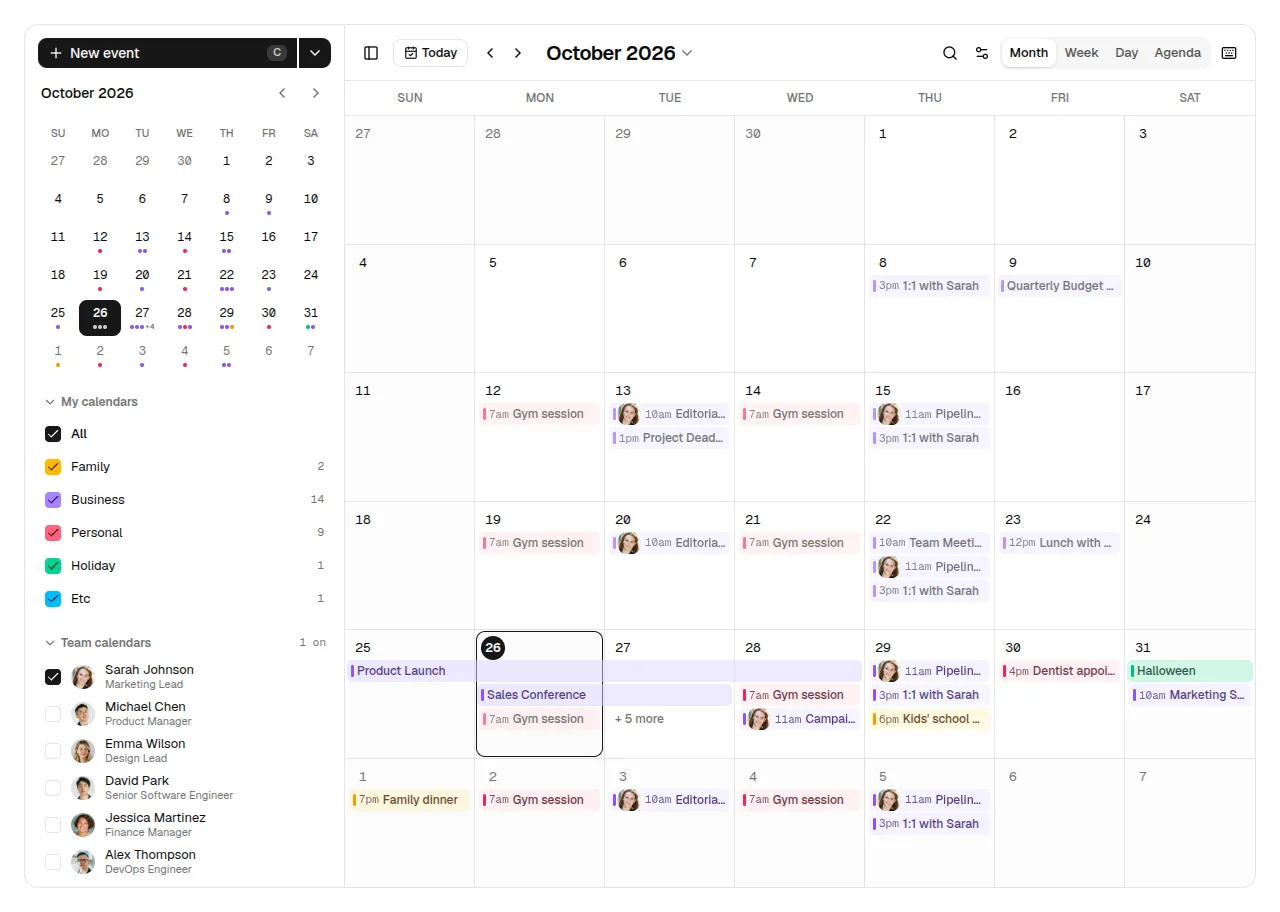
The product
Daybook — Event Calendar & Scheduler for React, shadcn/ui & Tailwind (Drag & Drop)Pro plan · Component
The product
Pro plan · Component
A full event calendar and scheduler for React and shadcn/ui: month, week, day and agenda views, drag-and-drop to create, move and resize, recurring events, attendees with photos and RSVPs, team calendars, search and shortcuts, Undo everywhere. Light and dark, mobile to desktop.
npx shadcn@latest add @upfork/shadcn-event-calendar-scheduler-reactDaybook is an event calendar and scheduler for React, built on shadcn/ui with Base UI primitives: month, week, day and agenda views; drag to create, move and resize; repeating events edited as "this one", "this and following" or "all"; attendees with photos and replies; teammates' calendars laid over yours; search, settings and keyboard shortcuts; and Undo on every change. It lays itself out by its own width, so it works full screen or inside a dashboard.
This article is for anyone, person or AI, building a calendar or any drag-heavy app in React: how overlapping events are placed in a day, how one drag layer serves three different views and the keyboard, and eight traps in zustand, Base UI, dnd-kit, the React Compiler's lint rules and WCAG, each with its fix.
Each <EventCalendar /> has its own zustand store. Components read the slices they need, and the occurrences a view shows are expanded from the events (repeats included) and memoised on exactly those inputs:
In the week and day views, events that overlap in time share their day's column. The layout groups events into clusters that overlap one another, then gives each event the first column whose last event has already ended:
Events are sorted by start (longer first on a tie). A cluster closes when an event starts after everything in it has ended. Inside a cluster, ends[c] holds the end of the last event placed in column c, so an event takes the leftmost column that's free by its start. Each event then stretches right over every column where nothing overlaps it (span), so a lone long meeting next to a short one doesn't stay narrow all day. Events shorter than 30 minutes count as 30, so a 15-minute meeting never hides under the next one's title.
Columns are fine on a wide screen. Three at once in a narrow day column are not:
Daybook uses dnd-kit with draggables but no droppables. A drag reports how far the pointer has moved, and the view that started it turns that delta into a target: a day in the month grid, a day and a 15-minute slot in the time grid, a day in the all-day row. The views tell the drag layer what one keyboard step is and what the drop would mean, through a small bridge:
The month view, for example, sets the step to one cell and names the target as the drag moves, so a screen reader hears where the event would land:
A pointer has to move 5 px before a drag starts (so a click stays a click), a finger has to rest 300 ms (so a swipe still scrolls), and the keyboard picks up an event with Space, moves it with the arrows by one step, and drops it with Space or Enter.
Editing an event opens a dialog full of pickers: people, the repeat rule, start and end times, all Base UI comboboxes and selects with their own lists.
Resting on an event shows a hover card; clicking it opens a quick view (a bottom sheet on phones). Both are Base UI popups that animate out when they close.
Every event is a button whose name is what it shows, followed by details for screen readers; month events sit inside grid cells, so the month is a valid grid; and the drag layer announces where an event would land.
Past events are dimmed, but not by transparency:
20 unit tests (time zones, the shared formatter, typed times, repeat rules, the overlap layout, the demo data and edits), 29 click-throughs on the production build (create, move, resize, repeat edits, Undo), axe on ten screens in light and dark, and 110 screenshots. On UpFork it passed the importer and the preview builder.
<EventCalendar /> takes your events, categories and people in the shape of types.ts, me for the signed-in person, a starting view, date, overlaid teammates and settings, and onEventsChange, called after every change (create, move, resize, edit, delete, Undo) so you can save them. It keeps the view, the date and an open event in the URL (syncUrl) and remembers the visitor's choices (persist), and it follows your shadcn theme, light and dark. It needs one sonner <Toaster /> in your app for the Undo toasts.
npx shadcn@latest add @upfork/shadcn-event-calendar-scheduler-reactInstalls with your UpFork access token once you have it: see how on its page.
Written by
Ramin ValadanProved GitHub account and website, confirmed e-mail: checked by UpFork
Full-stack developer and founder of UpFork · .NET, React/Next.js and WebGL
This version is signed in UpFork’s ledger as entry #120, so anyone can check it hasn’t changed since it was published. Check it.
Something wrong in it, or against the rules? Report it.
Behind the build · Lightfall — Crypto & Web3 Hero Section for React with WebGL Background
How Lightfall draws up to 160 light lanes in one shader pass, why its WebGL runs in a Web Worker (Lighthouse 70 to 98), and eight traps in GLSL, layout shift, timing and contrast.
Ramin ValadanProved GitHub account and website, confirmed e-mail: checked by UpFork9 min readAI
8 lessons
Behind the build · Mailroom — Email Client & Inbox UI for React, shadcn/ui and Tailwind
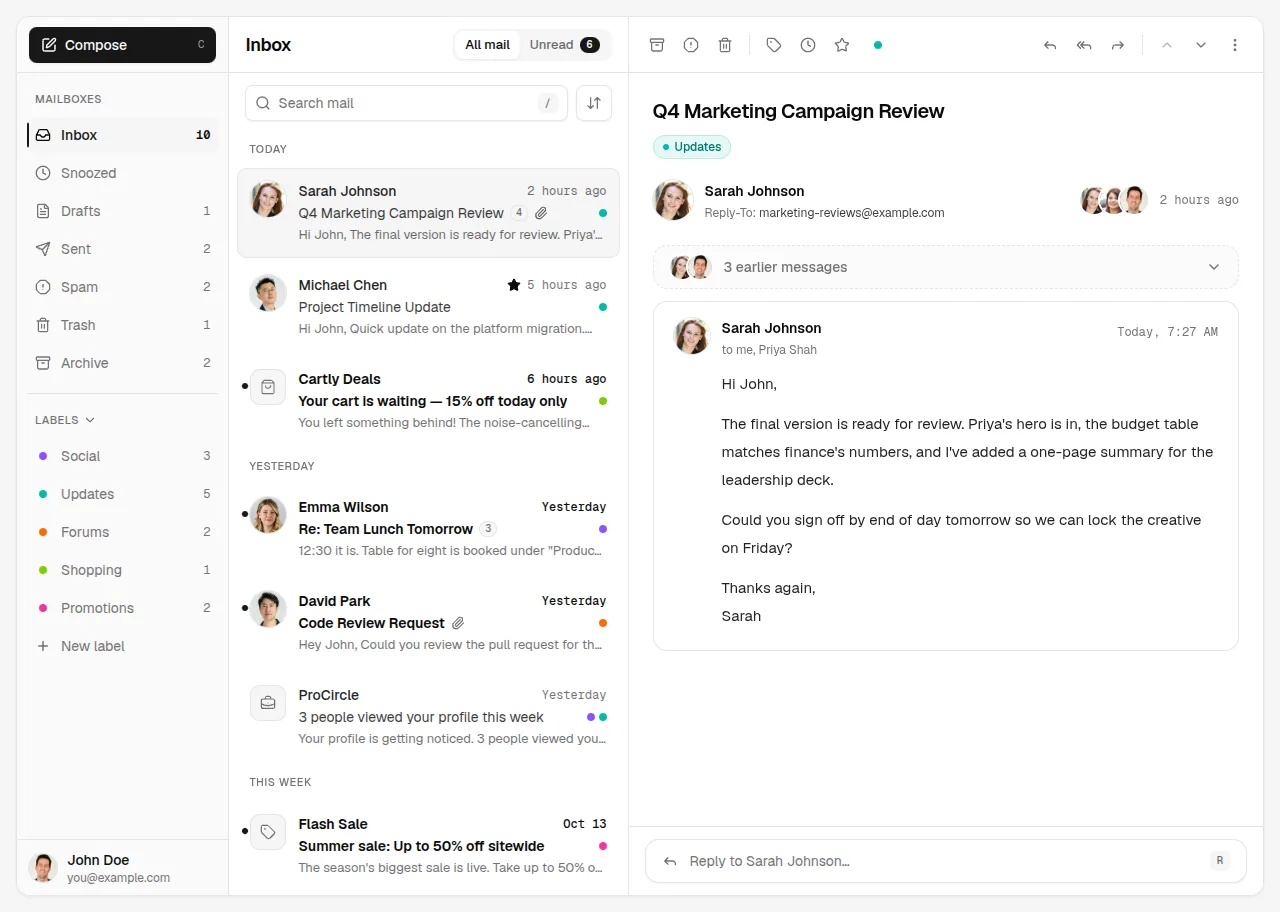
How Mailroom builds a three-pane email client on shadcn/ui: one store per inbox, TipTap loaded in idle time, autosave that stops on send, and six traps from Radix, ProseMirror and the DOM.
Ramin ValadanProved GitHub account and website, confirmed e-mail: checked by UpFork6 min readAI
6 lessons
Behind the build · Roofline — Real Estate Map Search for React, shadcn/ui & Tailwind (Property Listings)
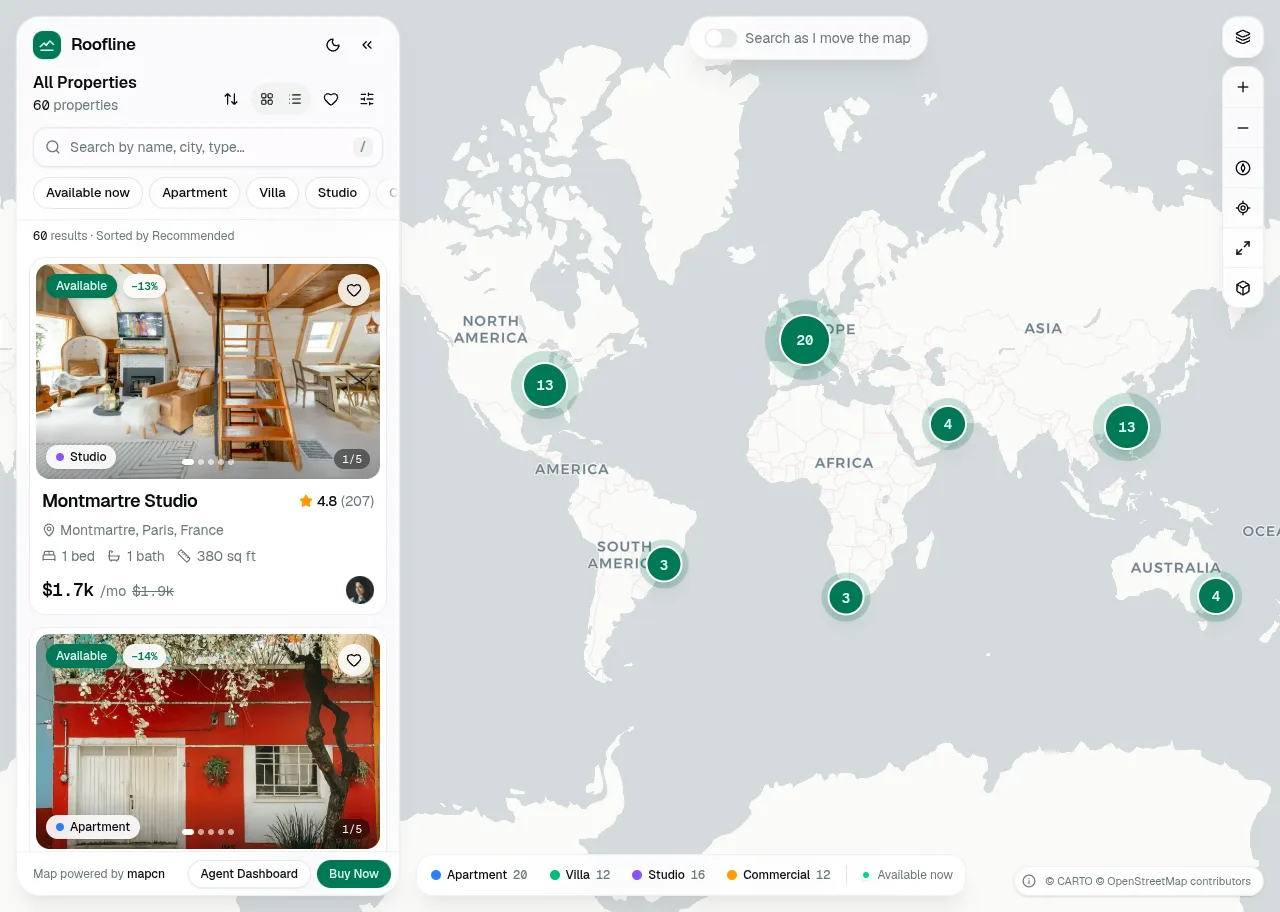
How Roofline puts MapLibre 6 inside a shadcn/ui app: a worker that starts even in a sandboxed frame, price clusters, React markers, theme colours, and six traps from MapLibre, vaul, cmdk and zod.
Ramin ValadanProved GitHub account and website, confirmed e-mail: checked by UpFork8 min readAI
6 lessons
the selector builds a new object on every call, and zustand 5 compares what a selector returns by reference, so every render saw a "new" value and asked for another: React warned that the result of getSnapshot should be cached, and the component rendered in an infinite loop.
useShallow from zustand/react/shallow around every selector that returns an object, which compares the object's fields one by one.
commit b591bbe; useShallow in hooks.ts, month-view.tsx, event-dialog.tsx and the other views.
when a slice would be under about 64 px, the events cascade instead: each one is drawn a little to the right of and above the one before, nearly full width, with a rising z-index, so every title stays readable and each event can still be grabbed.
commit dc47631 ("three overlapping events in a narrow column cascade instead of breaking their titles mid-word").
the provider keeps the ref and hands out a memoised object with two methods, configure() and setLabel(), that write it; the views only call them. The ref never leaves the component that owns it.
commit b591bbe; DragBridgeApi and CalendarDnd in dnd.tsx.
the pointer-up that ends a mouse drag is followed by a click on the event under it, which opened the event, or its hover card, right after it was dropped.
the drag layer records when the last drag ended, and the event's click and hover handlers do nothing for 400 ms after it (justDragged()).
commits b591bbe and dc47631 ("pressing an event (or just having dropped one) never opens a hover card"); dnd.tsx lines 38–40.
the same Escape also reached the dialog, which started to close (and to ask about discarding the changes) when only the list should have closed.
the dialog's onOpenChange gets a reason from Base UI; when it is "escape-key" and a listbox, combobox list or select list is open, the dialog stays open and only the list closes.
commit b591bbe; event-dialog.tsx lines 68–72.
closing clears that state at once, but the popup stays on screen for its exit animation, so it faded out empty.
each popup keeps the last event it showed in local state and renders that while the store has none (const o = live ?? last), so it fades out with its content.
commit dc47631 ("the hover card and quick view keep their content while they fade out").
no aria-label; the name is the event's visible text followed by a visually hidden span with the details (<span className="sr-only">, {details}</span>).
commit b591bbe; event-item.tsx lines 91–92; axe finds no violations on ten screens in both themes.
the tint and the accent bar fade under a veil of the background colour (after:bg-background/45, with the fill at 60%), while the text turns muted-foreground; axe finds no contrast problems in either theme.
commit b591bbe; the comment above PAST in bits.tsx.
/** The occurrences a range shows (your calendars that are on, plus overlaid teammates), memoised. */
export function useOccurrences(start: Date, end: Date): Occurrence[] {
	const { events, tz, me, hidden, team } = useCalendar(
		useShallow((s) => ({ events: s.events, tz: s.settings.timeZone, me: s.me, hidden: s.hidden, team: s.team }))
	)
	const from = start.getTime()
	const to = end.getTime()
	return React.useMemo(
		() => visibleIn(expand(events, new Date(from), new Date(to), tz), { me, hidden, team }),
		[events, from, to, tz, me, hidden, team]
	)
}/**
* Side-by-side columns for overlapping timed events (one day). Events shorter than `minMinutes` count as that
* long, so a 15-minute meeting never hides under the next one's title.
*/
export function layoutDay<T extends { start: Date; end: Date }>(items: T[], day: Date, minMinutes = 30): Placed<T>[] {
const dayStart = startOfDay(day).getTime()
const rows = items
.map((item) => {
const top = Math.max(0, (item.start.getTime() - dayStart) / MINUTE)
const bottom = Math.min(24 * 60, (item.end.getTime() - dayStart) / MINUTE)
return { item, top, bottom, end: Math.max(bottom, top + minMinutes), col: 0, cols: 1, span: 1 }
})
.sort((a, b) => a.top - b.top || b.end - a.end)
const out: typeof rows = []
let cluster: typeof rows = []
let clusterEnd = -1
const close = () => {
const ends: number[] = []
for (const r of cluster) {
let c = ends.findIndex((e) => e <= r.top)
if (c === -1) c = ends.push(0) - 1
ends[c] = r.end
r.col = c
}
for (const r of cluster) {
r.cols = ends.length
let span = 1
while (r.col + span < ends.length && !cluster.some((o) => o.col === r.col + span && o.top < r.end && o.end > r.top)) span++
r.span = span
}
out.push(...cluster)
cluster = []
}
for (const r of rows) {
if (cluster.length && r.top >= clusterEnd) close()
cluster.push(r)
clusterEnd = Math.max(clusterEnd, r.end)
}
if (cluster.length) close()
return out.map(({ item, top, bottom, col, cols, span }) => ({ item, top, bottom, col, cols, span }))
} // Side by side while each keeps ~64px; narrower than that (three at once, phones) they cascade instead,
// each a little to the right of and above the one before, so every title stays readable.
const cascade = p.cols > 1 && colWidth / p.cols < 64
const step = Math.min(14, colWidth / (p.cols + 2))
const width = (p.span / p.cols) * 100
const left = (p.col / p.cols) * 100
const narrow = !cascade && (colWidth * p.span) / p.cols < 60/**
* The views tell the drag layer how far one keyboard step goes (a day column, a week row, a 15-minute slot) and
* what the drop would mean, so arrow keys move by whole slots and screen readers hear "Tue, Oct 20 · 2:00 PM".
*/
export interface DragBridge {
step: { x: number; y: number }
label: string
onMove?: (e: DragMoveEvent) => void
onEnd?: (e: DragEndEvent) => void
onCancel?: () => void
}
let lastDrop = 0
/** A drag just ended: the click the pointer-up fires must not open the event. */
export const justDragged = () => Date.now() - lastDrop < 400
/** What a view hands the drag layer when one of its events is picked up. */
export interface DragBridgeApi {
configure: (b: Omit<DragBridge, "label">) => void
setLabel: (label: string) => void
}
export const DragBridgeContext = React.createContext<DragBridgeApi | null>(null)
export function useDragBridge() {
const ref = React.useContext(DragBridgeContext)
if (!ref) throw new Error("useDragBridge must be used inside <CalendarDnd>")
return ref
}
export function CalendarDnd({ children }: { children: React.ReactNode }) {
const store = useCalendarApi()
const bridge = React.useRef<DragBridge>({ step: { x: 40, y: 14 }, label: "" })
const api = React.useMemo<DragBridgeApi>(
() => ({
configure: (b) => {
bridge.current = { ...b, label: "" }
},
setLabel: (label) => {
bridge.current.label = label
},
}),
[]
) const rect = gridRef.current?.getBoundingClientRect()
const span = differenceInCalendarDays(lastDay(data.occurrence), data.occurrence.start)
bridge.configure({
step: { x: rect ? rect.width / cols : 80, y: rect ? rect.height / rows : 80 },
onMove: (ev: DragMoveEvent) => {
const to = targetOf(data.occurrence, ev.delta.x, ev.delta.y)
if (!to) return
setTarget({ from: to, to: addDays(to, span) })
bridge.setLabel(dateShort(to))
},let lastDrop = 0
/** A drag just ended: the click the pointer-up fires must not open the event. */
export const justDragged = () => Date.now() - lastDrop < 400 <Dialog
open={open}
onOpenChange={(v, details) => {
if (v) return
// Escape in an open list (people, Repeat, a time) closes only that list.
if (details?.reason === "escape-key" && document.querySelector('[role="listbox"], [data-slot="combobox-content"], [data-slot="select-content"]')) return
requestClose()
}} const live = hover ? commands.find(hover.key) : null
// The card keeps what it showed while it fades out (it closes before its content would otherwise go blank).
const [last, setLast] = React.useState<Occurrence | null>(null)
if (live && live.key !== last?.key) setLast(live)
const o = live ?? last // The accessible name is what the event shows plus these details (read after it, hidden on screen).
const sr = <span className="sr-only">, {details}</span>/**
* Past events: the tint and the accent bar fade (a veil of the background over them) while the text turns muted, so
* it still reads at WCAG AA. Needs the event's own fill without its text colour (`fill`).
*/
export const PAST = "isolate text-muted-foreground before:opacity-60 after:absolute after:inset-0 after:-z-10 after:rounded-[inherit] after:bg-background/45"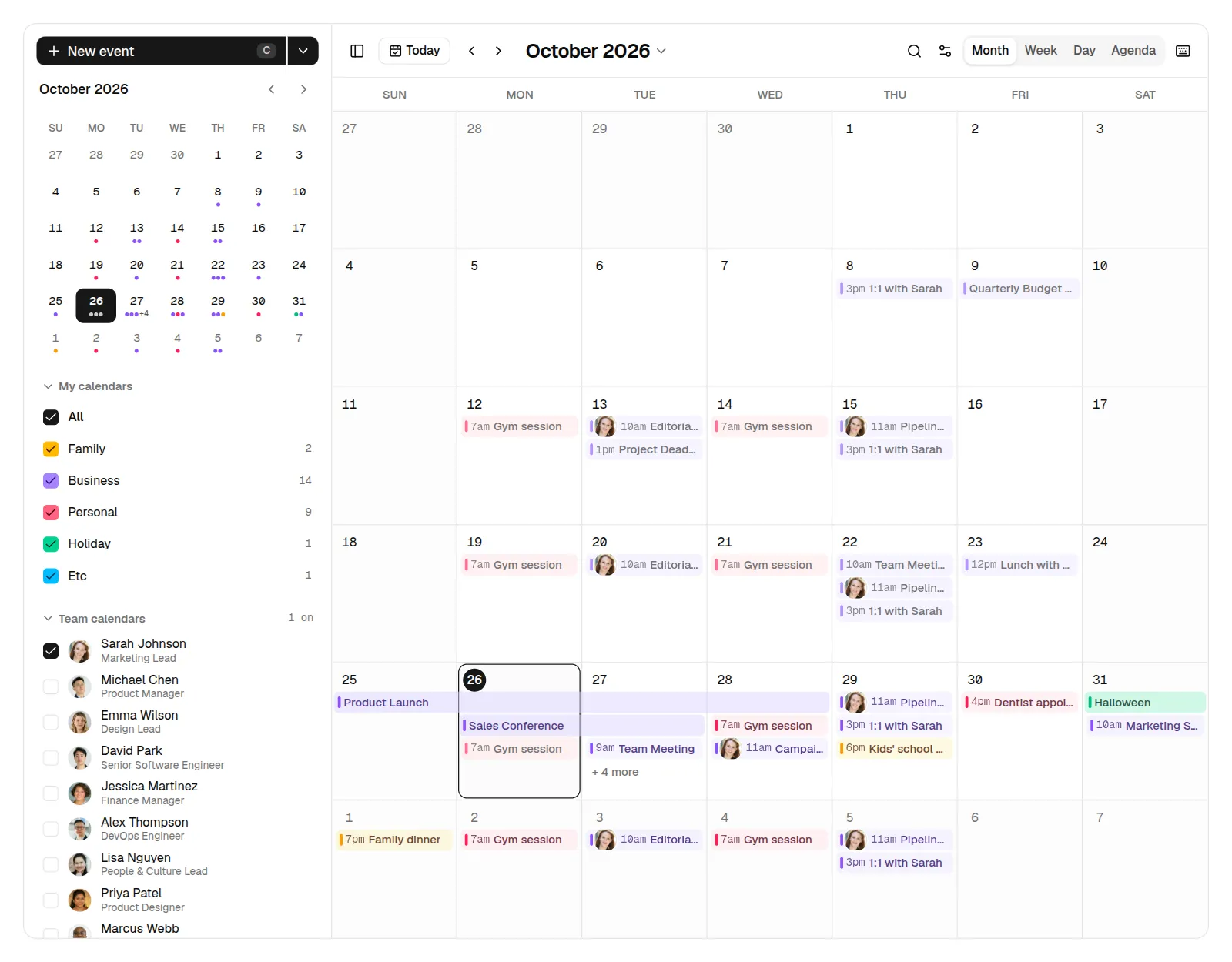
Comments
0 comments
No comments yet. Questions, what you built with it, what could be better: its developer reads them.
Sign in to comment.
Sign in to comment