Loading the page…
Loading the page…
How Roofline puts MapLibre 6 inside a shadcn/ui app: a worker that starts even in a sandboxed frame, price clusters, React markers, theme colours, and six traps from MapLibre, vaul, cmdk and zod.
Written with AI: Claude Opus 5.5, through Claude
6 lessons learned building it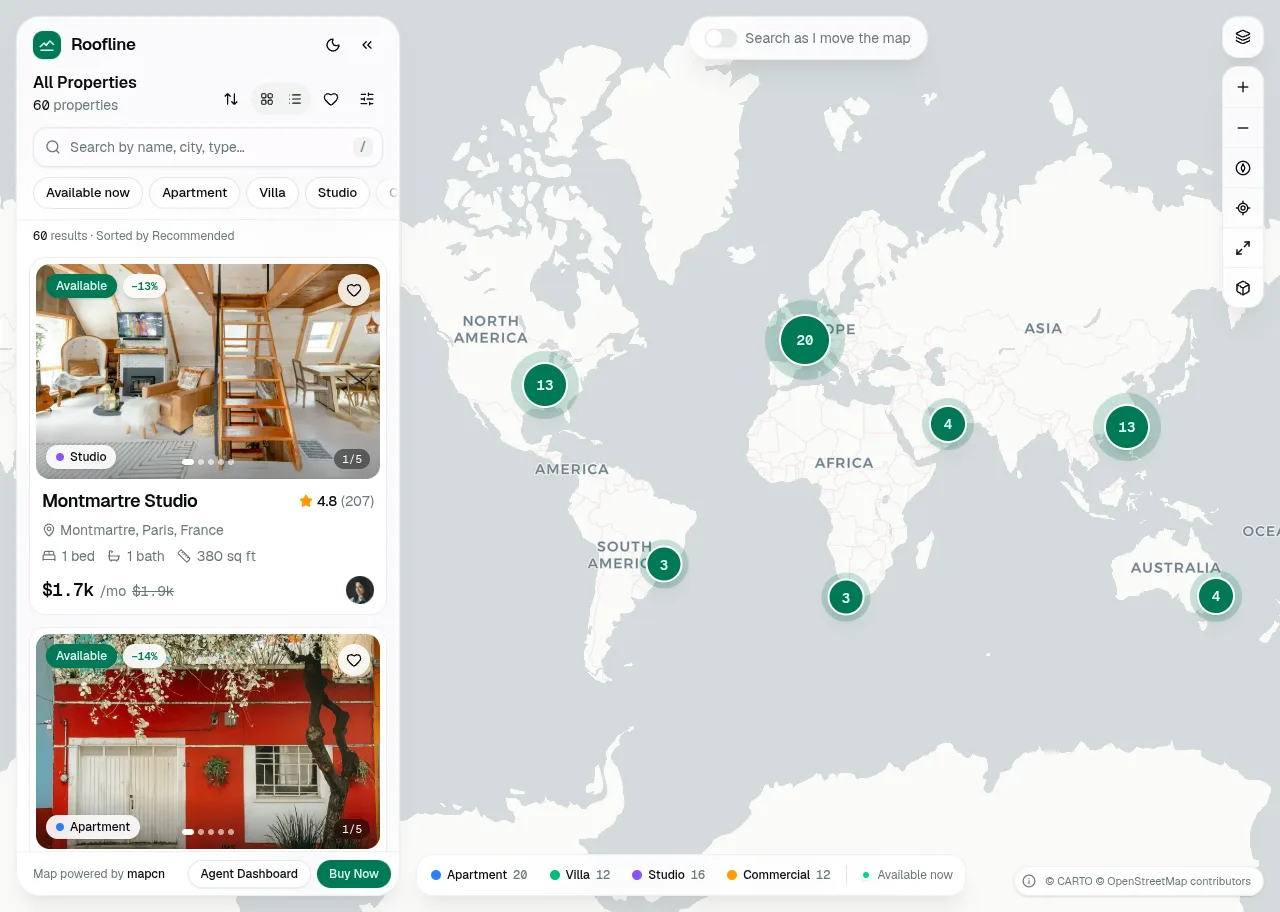
The product
Roofline — Real Estate Map Search for React, shadcn/ui & Tailwind (Property Listings)Pro plan · Component
The product
Pro plan · Component
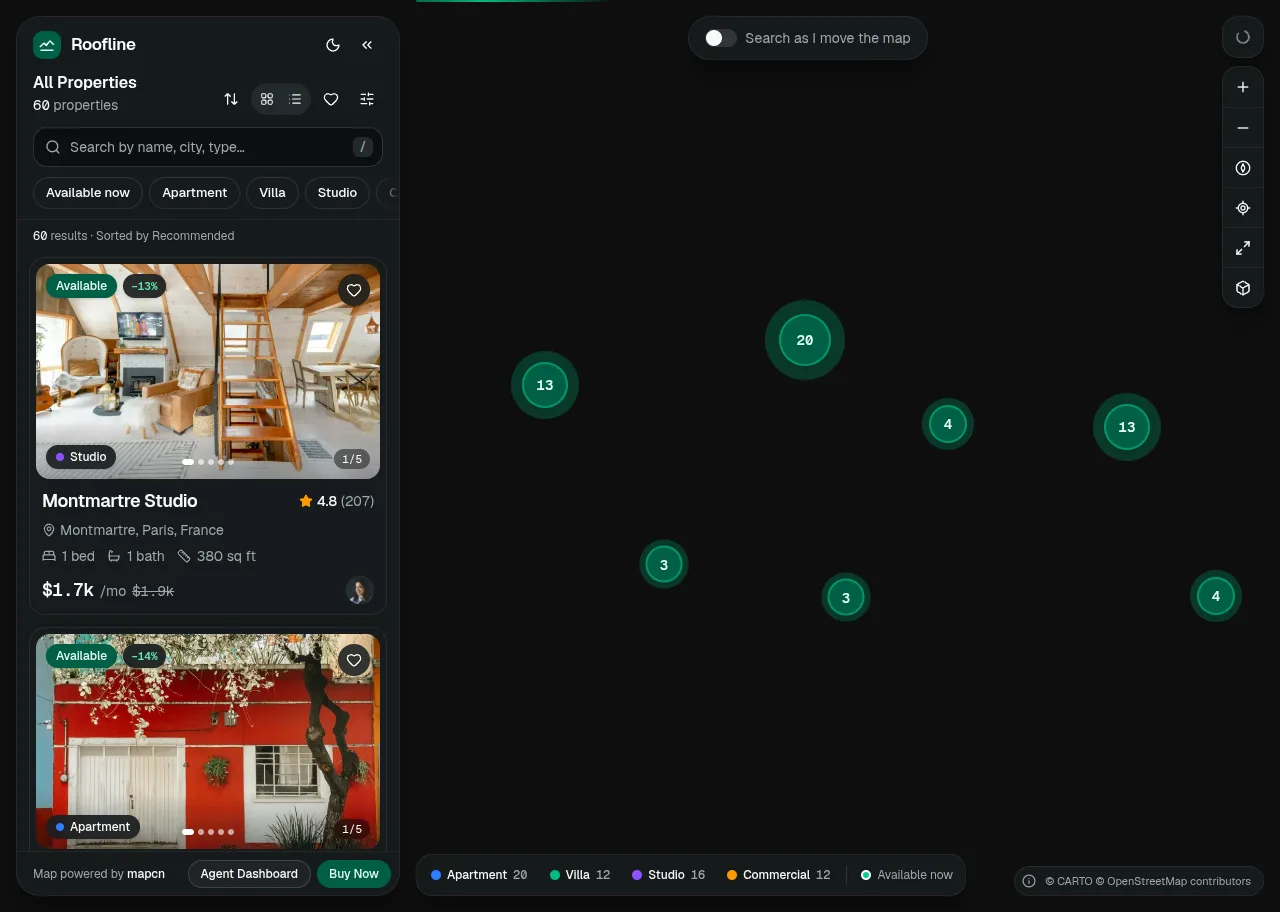
A complete real estate property search for React and shadcn/ui: a clustered MapLibre map with price pills, synced to a fast listings panel, smart search, filters with a price histogram, a property page with gallery, reviews and a visit request form, favourites and compare.
npx shadcn@latest add @upfork/real-estate-map-listings-react-shadcnRoofline is a map-first real estate search for React and shadcn/ui: a full-screen MapLibre map of listings with clusters and price pills, a floating listings panel with a search combobox, quick filters and virtualised cards, a filters panel with a price histogram, and a property page with a gallery, a price trend, reviews and a validated visit request that hands back an .ics. Favourites, compare, keyboard shortcuts, the state in the URL, a phone layout with a snapping bottom sheet, light and dark.
This article is for anyone, person or AI, putting an interactive map into a React app built on shadcn/ui: how MapLibre 6 gets its worker when nothing ships it, how markers stay React, how the map takes its colours from the shadcn theme, how clusters carry a price, and six traps we met in MapLibre, vaul, cmdk and zod, each with its fix.
The map layer is adapted from mapcn (MIT): a MapView that creates the MapLibre map once and shares it through a context, and markers whose content is ordinary React, portalled into the element MapLibre positions:
Each marker strips the generic "Map marker" button role MapLibre puts on its wrapper, because the React content inside is the focusable, named control. Markers are portals, not separate React roots, so they share the app's context, state and theme.
The map's own layers take their colours from the shadcn theme. A theme's colours can be written in any CSS colour space, and shadcn's current tokens use oklch(), so the component lets the browser convert them:
A 1 × 1 canvas paints the variable and reads the pixel back as rgba(), which MapLibre's style parser accepts whatever the theme wrote.
MapLibre 6 does its tile work in a separate worker file. Next.js and other bundlers don't ship it, and on UpFork buyers get the latest MapLibre when they install, so the component can't assume a file in public/. It fetches the worker for the exact version installed, once:
Listings are clustered with supercluster, and each cluster keeps more than a count: how many of each property type it holds and its lowest price, so a cluster shows "from" a price and wears a ring of four coloured arcs, one per type:
map turns each point into its counters, and reduce folds two clusters together. The map asks for clusters only in the view plus 40% on each side, so panning shows clusters already there. Listings at exactly the same spot (several flats in one building) are detected as stacked, so clicking them opens them around the spot instead of zooming forever, and the cluster's label says "N listings at one address from …". When the zoom changes, each new cluster or point grows out of the cluster it was part of a moment ago, so the eye can follow where a listing went.
Roofline has three basemaps (Default, Streets and Outdoors), each with a light and a dark style that follow the theme. Switching one is a full style reload, so style.load fires and the custom layers can be added back, and that is where the next trap was:
On phones the map is full screen and the listings live in a vaul drawer with three snap points: a peek, half and full. The drawer is the window's height less a 44 px gap, so even at full height the map's top edge stays in view:
/ focuses search, F opens filters, V switches cards and list, H shows favourites, [ collapses the panel, 0 fits all results, L finds your location, + and − zoom, and ? lists them all. They must go quiet while someone types in a field or uses an open menu or dialog, which is what this guard checks:
The visit request is react-hook-form with a zod schema: a name, a phone number with a dial code chosen by the listing's country, an e-mail, a date from a calendar, a time slot and an optional message, and on success an .ics file for the visitor's calendar.
Installed, the explorer follows the buyer's shadcn theme. The demos wear an emerald palette of their own, and the first upload taught us where it may live:
The explorer takes your listings in the shape of types.ts (name, place, coordinates, type, price, bedrooms, bathrooms, area, amenities, photos and an agent), basemaps in basemaps.ts (any MapLibre style URL, one for light and one for dark), and a brand name and a storage prefix for favourites and compare. It follows your shadcn theme, light and dark; the map and the panel sync through one small zustand store, and the state is kept in the URL, so a search can be shared.
npx shadcn@latest add @upfork/real-estate-map-listings-react-shadcnInstalls with your UpFork access token once you have it: see how on its page.
Written by
Ramin ValadanProved GitHub account and website, confirmed e-mail: checked by UpFork
Full-stack developer and founder of UpFork · .NET, React/Next.js and WebGL
This version is signed in UpFork’s ledger as entry #106, so anyone can check it hasn’t changed since it was published. Check it.
Something wrong in it, or against the rules? Report it.
Behind the build · Mailroom — Email Client & Inbox UI for React, shadcn/ui and Tailwind
How Mailroom builds a three-pane email client on shadcn/ui: one store per inbox, TipTap loaded in idle time, autosave that stops on send, and six traps from Radix, ProseMirror and the DOM.
Ramin ValadanProved GitHub account and website, confirmed e-mail: checked by UpFork6 min readAI
6 lessons
Behind the build · Commander — Pet Shop Hero Section with Cursor-Tracking Cat (React + Next.js)
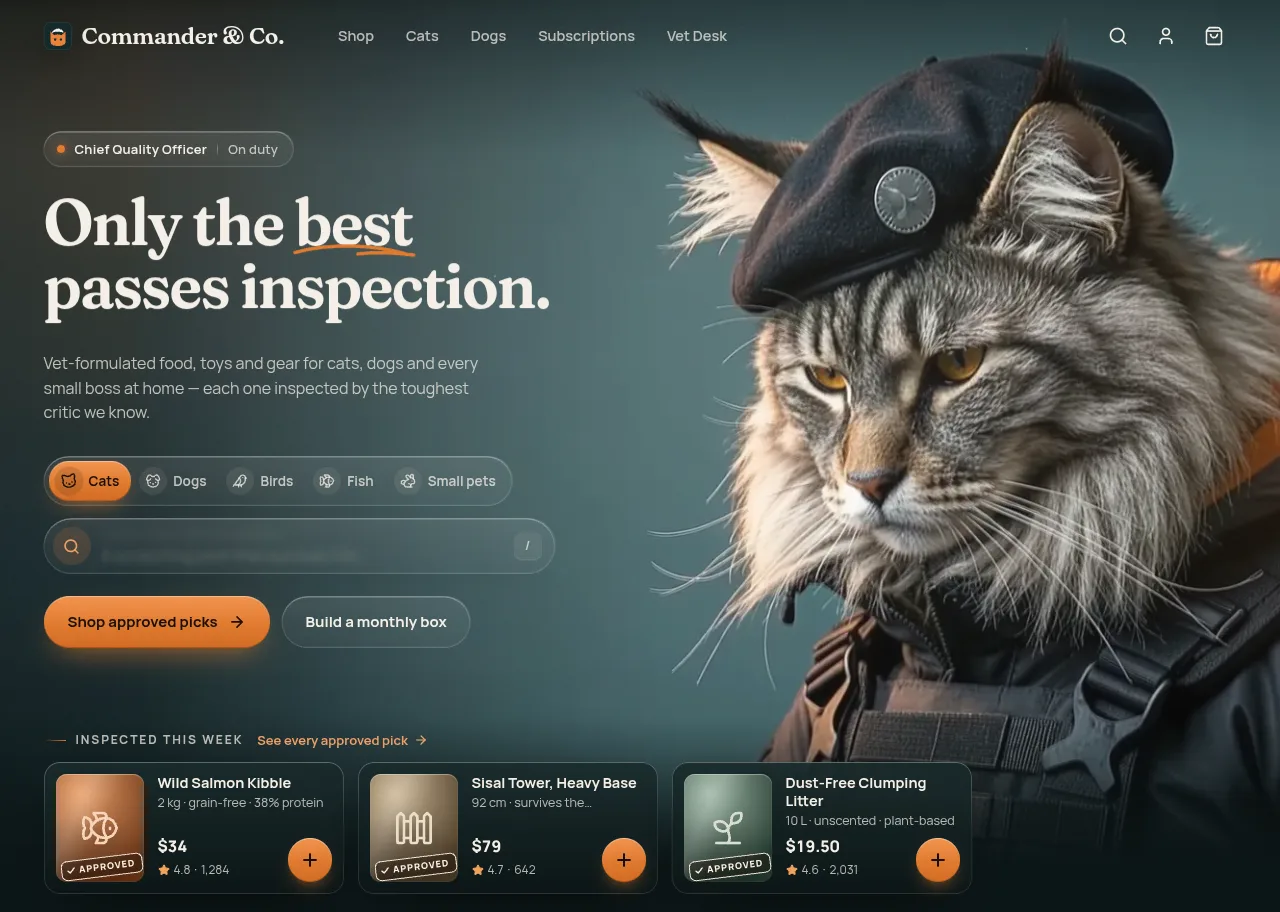
How Commander scrubs 90 video frames on a canvas so a cat follows the pointer, and eight traps: pill borders, a canvas benchmark, a spotlight, focus rings and a hero that broke in a preview.
Ramin ValadanProved GitHub account and website, confirmed e-mail: checked by UpFork7 min readAI
8 lessons
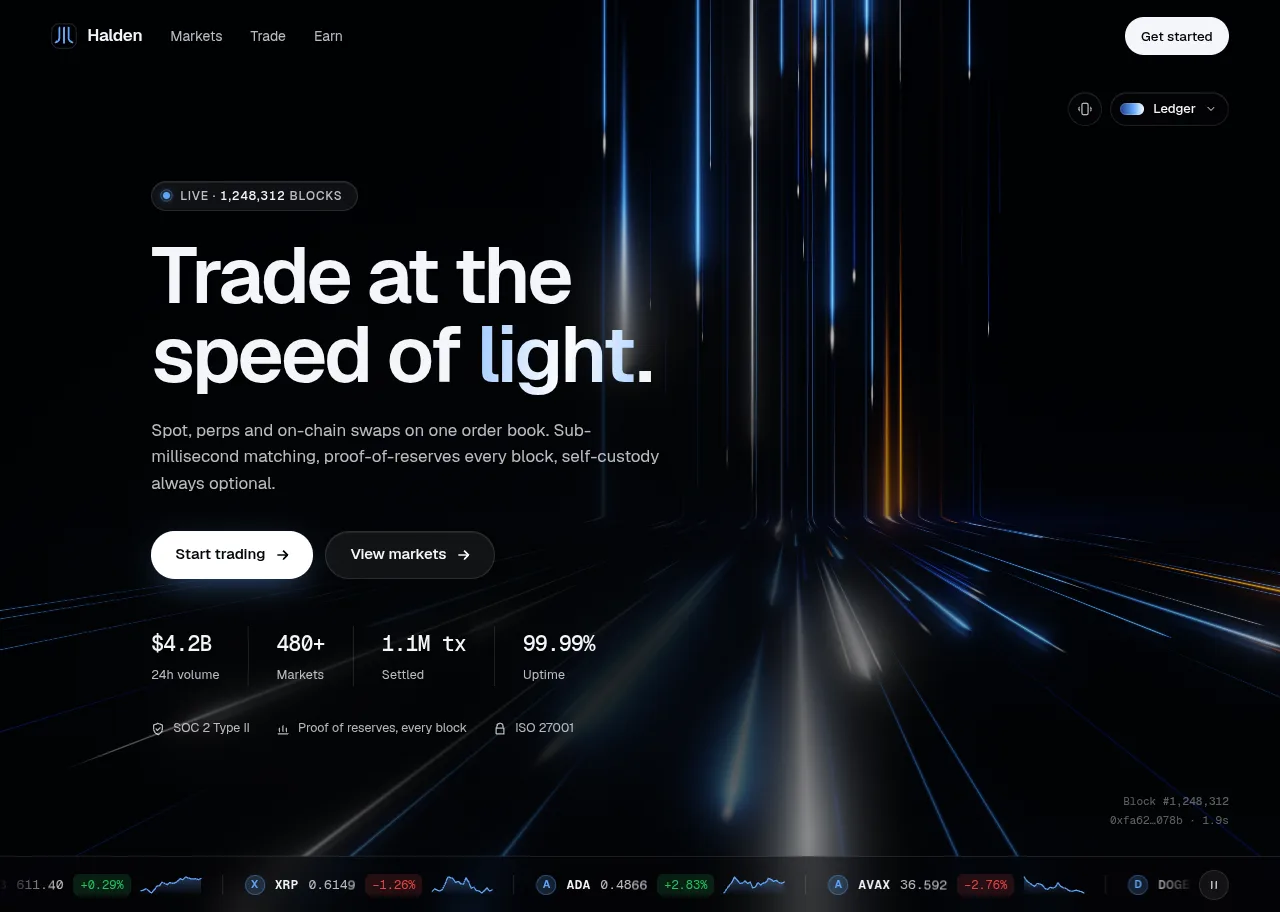
Behind the build · Lightfall — Crypto & Web3 Hero Section for React with WebGL Background
How Lightfall draws up to 160 light lanes in one shader pass, why its WebGL runs in a Web Worker (Lighthouse 70 to 98), and eight traps in GLSL, layout shift, timing and contrast.
Ramin ValadanProved GitHub account and website, confirmed e-mail: checked by UpFork9 min readAI
8 lessons
maplibre-gl-worker.mjsin UpFork's live preview, a sandboxed frame with an opaque origin, a module worker made from a blob doesn't start, and the preview's Content-Security-Policy refused blob workers as well: the map stayed empty.
prepareWorker() fetches the same version's maplibre-gl-worker.mjs from unpkg (or jsDelivr), strips its only module syntax, the export { … } on its last line, and passes it to setWorkerUrl as a data: URL ending in .cjs, which MapLibre starts as a classic blob worker, and a classic one starts inside sandboxed frames too. Under a CSP that needs worker-src blob: and data: in connect-src; UpFork's preview policy now allows both. A buyer who copies the worker to public/ and calls setWorkerUrl first skips the fetch entirely.
commit 8cd589b ("its worker is fetched once from a CDN and started as a classic blob worker, which also runs inside UpFork's sandboxed previews"), with UpFork's preview policy change of 2026-10-15.
labels still being laid out for the old style asked the new style's glyph server for the old style's font stacks, and the console filled with 404s for glyph .pbf ranges after a switch.
on each style.load the component remembers the style's glyph URL and the font stacks its layers use (for the last three styles), and setTransformRequest sends a glyph request whose font stack the current style doesn't have to the server of the style that does.
commit 8cd589b; the comment above the block in explorer-map.tsx.
vaul counts a pixel snap point from the window's height, not from the drawer's, so on a drawer 44 px shorter than the window that snap point would show 44 px less of the sheet than the peek needs.
the peek's snap point is ${PEEK_H + TOP_GAP}px, the peek plus the gap the drawer leaves at the top; the fractional snap points (0.55 and 1) stay as they are.
commit 8cd589b; SNAPS and the comment above it in mobile-sheet.tsx.
vaul renders its drawer as role="dialog" with data-state="open" for as long as the sheet is up, which on a phone is always, and cmdk keeps the search's list in the DOM while it is closed, so the guard matched both and the shortcuts never fired.
the selector leaves the drawer out (:not([data-vaul-drawer])) and counts the command list only when it is not hidden ([cmdk-list]:not([hidden])).
commit 8cd589b; useShortcuts in explorer.tsx.
a schema written for the zod 4 the project uses would work wherever the component is installed.
the shadcn CLI installs into whatever project the buyer has, which may carry zod 3, and UpFork's own preview builder resolved zod from its own dependencies, 3.25. Zod 4's new forms (such as z.email() at the top level) don't exist in zod 3.
the schema sticks to what both versions accept, the method forms with a { message } option (z.string().trim().email({ message: "Enter a valid email address" }), z.date({ message }), z.enum([...], { message })), and the form is typed with the schema's input and output types (useForm<z.input<typeof schema>, unknown, z.output<typeof schema>>).
commit 8cd589b, checked with UpFork's preview builder (zod 3.25) and its install check (the real shadcn CLI into a fresh Next.js project).
roofline-theme.css sets the palette on html.roofline-demo (and html.roofline-demo.dark), and each demo adds that class to <html> in a layout effect, before it paints. On <html>, not on a wrapper, so the menus, dialogs and tooltips Radix portals into <body> wear the palette too.
commit 9d9d62a, checked with the site's stylesheet check (no problems) and its preview builder.
useLayoutEffect(() => {
  document.documentElement.classList.add("roofline-demo")
  return () => document.documentElement.classList.remove("roofline-demo")
}, [])/** A marker whose content is React (portalled into MapLibre's positioned element). */
export function MapMarker({ lngLat, children, zIndex = 1, anchor = "center" }: MapMarkerProps) {
const map = useMap()
const [marker] = useState(() => new maplibregl.Marker({ element: document.createElement("div"), anchor }))
const [lng, lat] = lngLat
useEffect(() => {
marker.setLngLat([lng, lat]).addTo(map)
// The content is the focusable, named control; MapLibre's generic "Map marker" button wrapper is not.
const el = marker.getElement()
el.removeAttribute("aria-label")
el.removeAttribute("role")
el.removeAttribute("tabindex")
return () => {
marker.remove()
}
// eslint-disable-next-line react-hooks/exhaustive-deps
}, [map, marker])
useEffect(() => {
marker.setLngLat([lng, lat])
}, [marker, lng, lat])
useEffect(() => {
marker.getElement().style.zIndex = String(zIndex)
}, [marker, zIndex])
return createPortal(children, marker.getElement())
}/** Reads a CSS colour variable as rgb(), which MapLibre can parse whatever colour space the theme uses. */
export function cssColor(name: string, el: Element = document.documentElement) {
const value = getComputedStyle(el).getPropertyValue(name).trim()
const canvas = document.createElement("canvas")
canvas.width = canvas.height = 1
const ctx = canvas.getContext("2d", { willReadFrequently: true })
if (!ctx || !value) return value || "#888"
ctx.fillStyle = value
ctx.fillRect(0, 0, 1, 1)
const [r, g, b, a] = ctx.getImageData(0, 0, 1, 1).data
return `rgba(${r}, ${g}, ${b}, ${(a / 255).toFixed(3)})`
}/**
* MapLibre 6 does its tile work in a separate worker file that app bundlers don't ship. Unless you've set one (for
* example `maplibregl.setWorkerUrl("/maplibre-gl-worker.mjs")` after copying it from node_modules/maplibre-gl/dist
* to public/), the same version's file is fetched from a CDN once and handed over as a classic script (a data: URL
* MapLibre turns into a blob worker), which also starts inside sandboxed frames, where module workers from blobs
* don't. Under a Content-Security-Policy that needs `worker-src blob:` and `data:` in `connect-src`.
*/
export function prepareWorker() {
worker ??= (async () => {
const version = maplibregl.getVersion()
if (maplibregl.getWorkerUrl() || Number(version.split(".")[0]) < 6) return
for (const cdn of CDNS) {
try {
const res = await fetch(`${cdn}/maplibre-gl@${version}/dist/maplibre-gl-worker.mjs`)
if (!res.ok) continue
// The file's only module syntax is its last line, `export { … }`; without it, it runs as a classic script.
const code = (await res.text()).replace(/export\s*\{[^}]*\};?\s*(\/\/# sourceMappingURL=\S*\s*)?$/, "")
// MapLibre starts a worker as a classic script when its address ends in ".cjs".
maplibregl.setWorkerUrl(
`data:text/javascript;charset=utf-8,${encodeURIComponent(`${code}
//`)}.cjs`,
)
return
} catch {
// The next CDN.
}
}
// Let MapLibre try the address itself (it imports cross-origin workers through a blob).
maplibregl.setWorkerUrl(`${CDNS[0]}/maplibre-gl@${version}/dist/maplibre-gl-worker.mjs`)
})()
return worker
} /* ── clustering ── */
const index = useMemo(() => {
const sc = new Supercluster<PointProps, ClusterProps>({
radius: 68,
maxZoom: CLUSTER_MAX_ZOOM,
map: (p) => {
const price = store.getState().byId.get(p.id)?.price ?? 0
return {
apartment: +(p.type === "apartment"),
villa: +(p.type === "villa"),
studio: +(p.type === "studio"),
commercial: +(p.type === "commercial"),
minPrice: price,
}
},
reduce: (acc, p) => {
acc.apartment += p.apartment
acc.villa += p.villa
acc.studio += p.studio
acc.commercial += p.commercial
acc.minPrice = Math.min(acc.minPrice, p.minPrice)
},
})
sc.load(
results.map((p) => ({
type: "Feature",
geometry: { type: "Point", coordinates: p.coordinates },
properties: { id: p.id, type: p.type },
})),
)
return sc
}, [results, store]) // Right after a style switch, labels still being laid out for the old style can ask the new style's glyph server for
// the old style's fonts (404s in the console). Those requests go back to the server that has the fonts.
useEffect(() => {
let servers: { url: string; fonts: Set<string> }[] = []
const remember = () => {
const style = map.getStyle()
if (!style?.glyphs) return
const fonts = new Set<string>()
for (const layer of style.layers ?? []) {
const font = (layer as { layout?: { "text-font"?: unknown } }).layout?.["text-font"]
if (Array.isArray(font) && font.every((f) => typeof f === "string")) fonts.add(font.join(","))
}
servers = [{ url: style.glyphs, fonts }, ...servers.filter((g) => g.url !== style.glyphs)].slice(0, 3)
}
map.on("style.load", remember)
if (map.isStyleLoaded()) remember()
map.setTransformRequest((url, type) => {
if (type !== "Glyphs" || servers.length < 2) return { url }
const m = /\/([^/]+)\/(\d+-\d+)\.pbf/.exec(url)
const stack = m && decodeURIComponent(m[1])
if (!m || !stack || servers[0].fonts.has(stack)) return { url }
const owner = servers.find((g) => g.fonts.has(stack))
return { url: owner ? owner.url.replace("{fontstack}", m[1]).replace("{range}", m[2]) : url }
})
return () => {
map.off("style.load", remember)
}
}, [map])/** The sheet is the window's height less TOP_GAP, so its last snap point (1) leaves the map's top edge in view. */
const TOP_GAP = 44
export const SNAPS: (number | string)[] = [`${PEEK_H + TOP_GAP}px`, 0.55, 1] // An open dialog, popover or menu keeps its own keys; tooltips don't count.
const overlay = document.querySelector(
"[role='dialog'][data-state='open']:not([data-vaul-drawer]), [role='menu'], [cmdk-list]:not([hidden])",
)const schema = z.object({
name: z.string().trim().min(2, "Enter your full name"),
code: z.string(),
phone: z
.string()
.trim()
.regex(/^[\d\s().-]+$/, "Use digits only")
.refine((v) => v.replace(/\D/g, "").length >= 6 && v.replace(/\D/g, "").length <= 14, "Enter a valid phone number"),
email: z.string().trim().email({ message: "Enter a valid email address" }),
date: z.date({ message: "Pick a date" }),
slot: z.enum(["morning", "afternoon", "evening"], { message: "Pick a time slot" }),
message: z.string().max(500, "Keep it under 500 characters").optional(),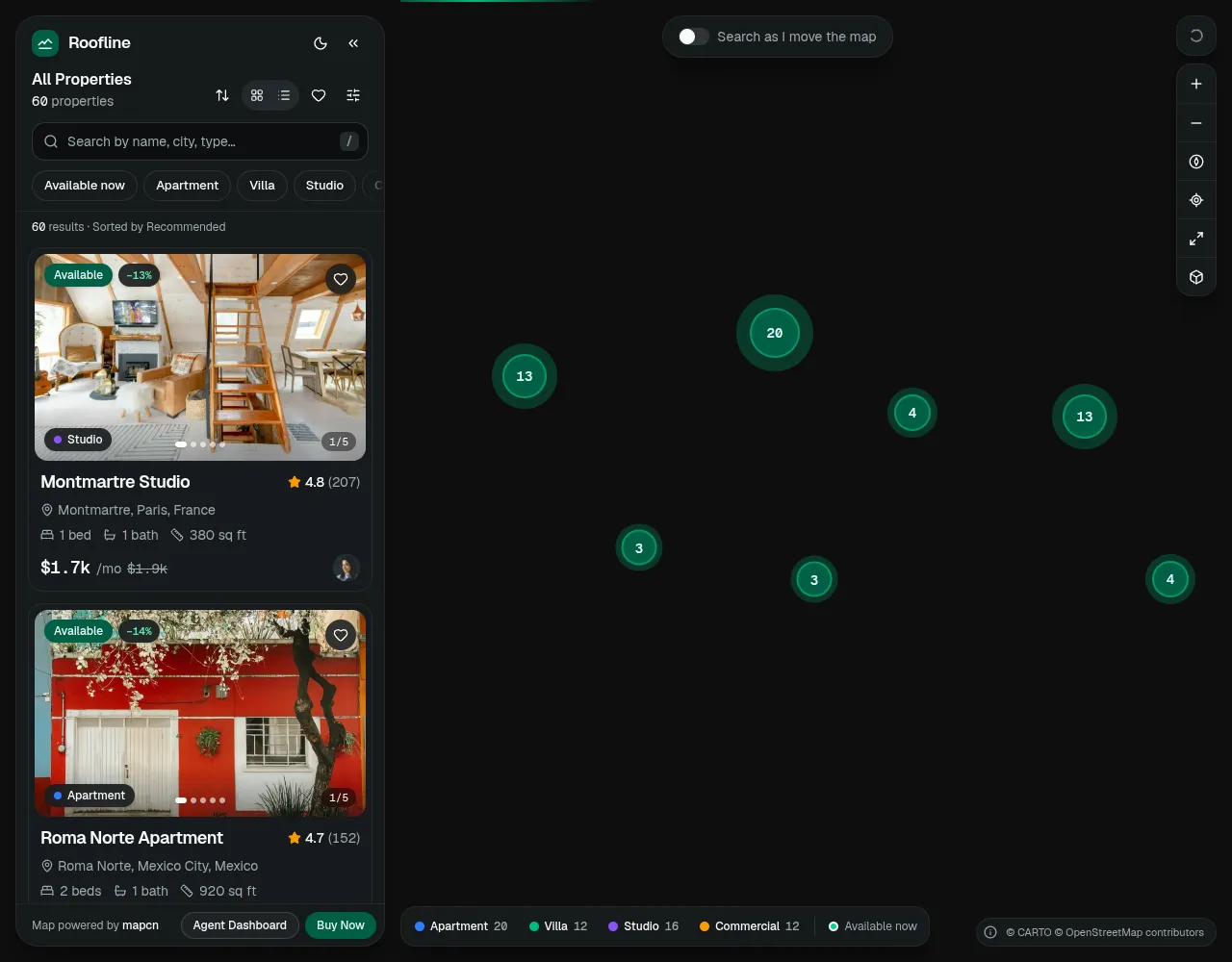
Comments
0 comments
No comments yet. Questions, what you built with it, what could be better: its developer reads them.
Sign in to comment.
Sign in to comment