FreeMIT LicenseFeatured

Commander — Pet Shop Hero Section with Cursor-Tracking Cat (React + Next.js)

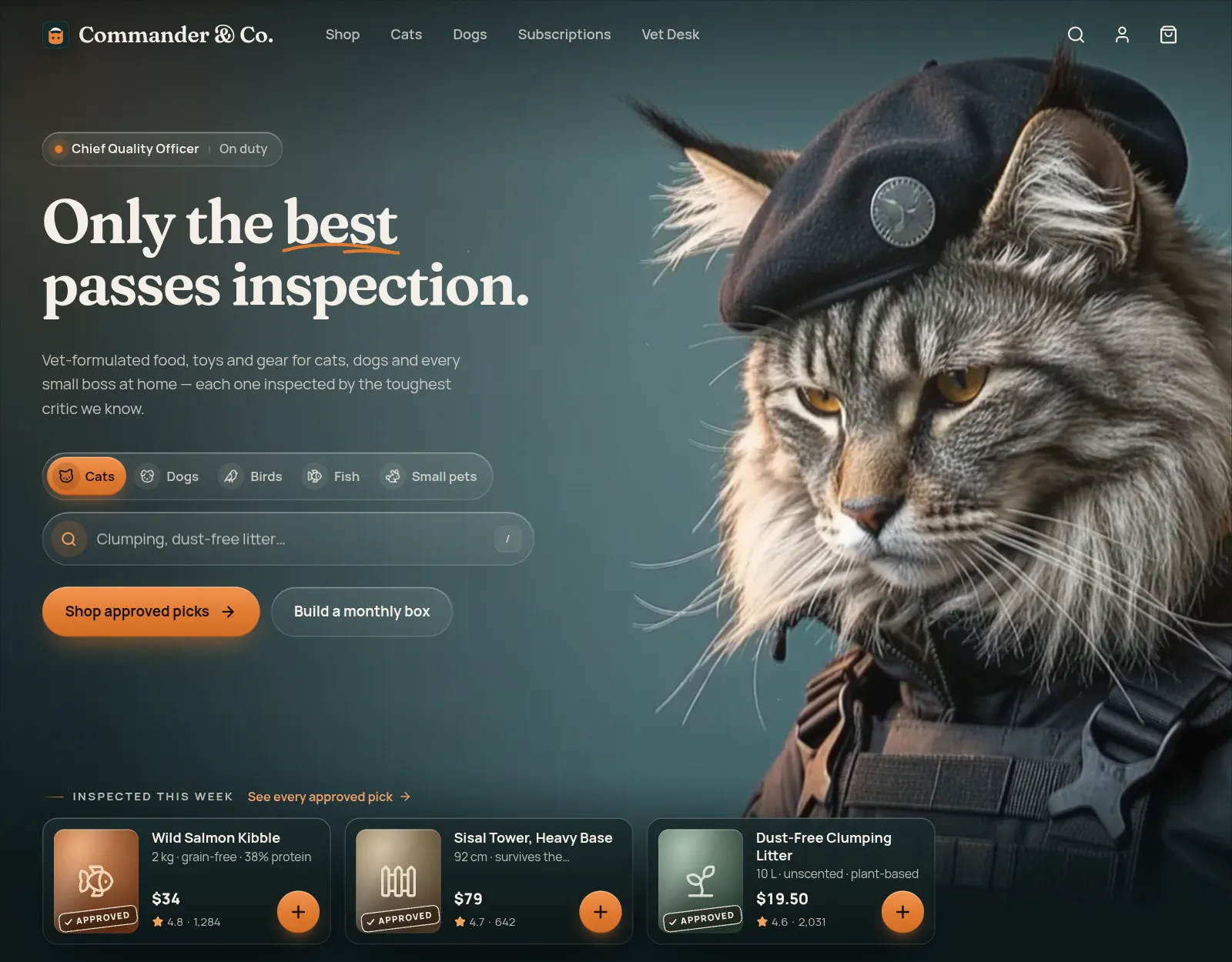
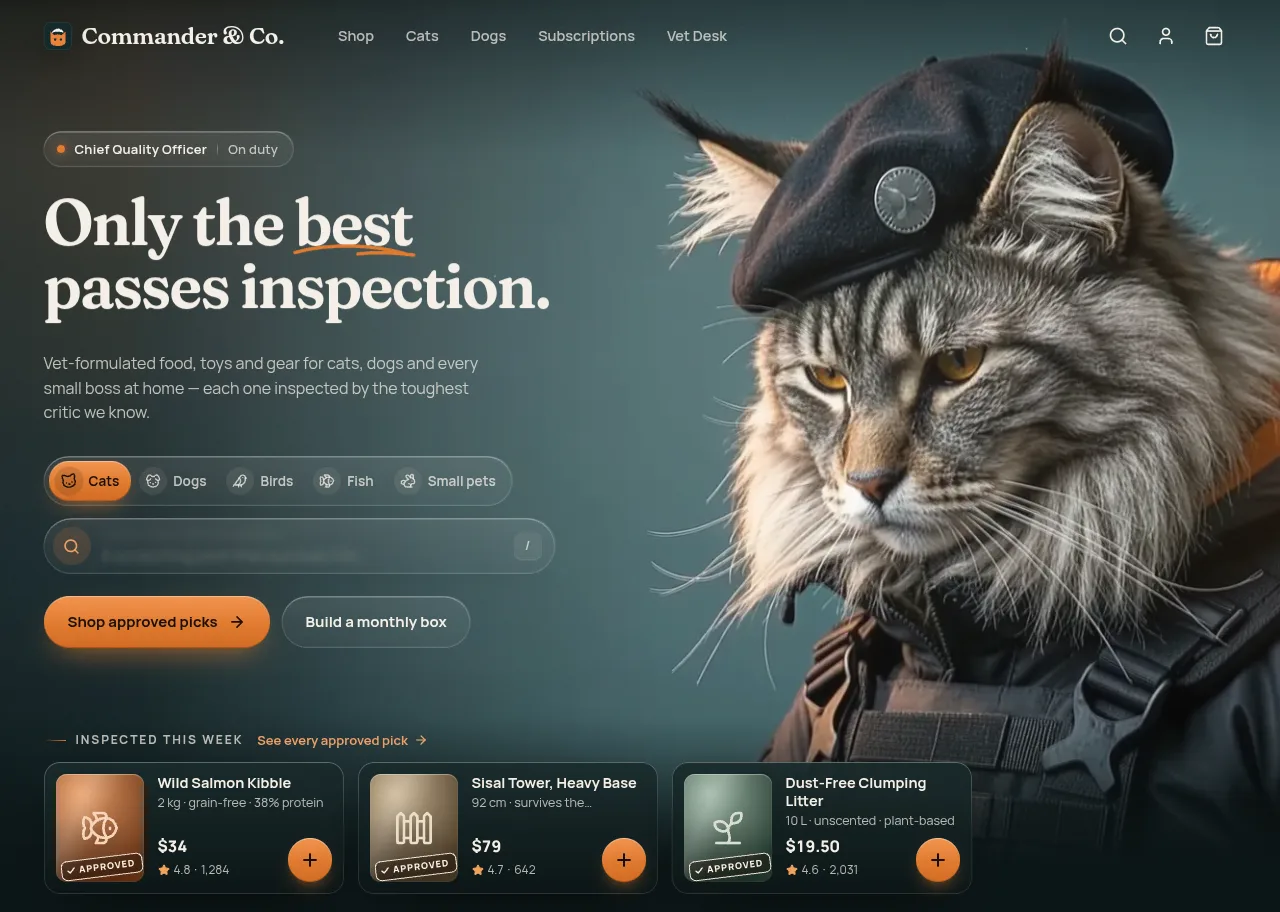
Interactive pet shop hero section for React, Next.js and Tailwind CSS: an AI-filmed cat follows the cursor at 60 fps, watches shoppers type in search and nods at every add-to-cart. Ships with product cards, page sections, and light and dark themes.

by UpFork, built by Ramin ValadanComponentUpdated 26 Oct 2026

Read how it was madeBehind the build8 lessons
Watch0
Preview of Commander — Pet Shop Hero Section with Cursor-Tracking Cat (React + Next.js)

Code

40 files · 2 packages · 184 assets

"use client";

import { ShoppingBag } from "lucide-react";
import { useCart } from "./CartProvider";

/** The nav's cart: where the thumbnails fly to. The badge bumps each time one lands. */
export function CartButton({ label, href = "/cart" }: { label: string; href?: string }) {
  const { count, bump, registerButton } = useCart();
  return (
    <a
      ref={registerButton}
      href={href}
      aria-label={label.replace("{count}", String(count))}
      className="relative grid size-11 place-items-center rounded-full text-ink transition-colors hover:bg-glass"
    >
      <ShoppingBag size={20} strokeWidth={2} aria-hidden="true" />
      <span
        key={bump}
        aria-hidden="true"
        className={`cmd-badge absolute right-0.5 top-0.5 grid h-[19px] min-w-[19px] place-items-center rounded-full bg-brand px-1 text-[11px] font-extrabold tabular-nums text-accent-ink ${
          count ? "" : "scale-0"
        } ${bump ? "cmd-badge-bump" : ""}`}
      >
        {count}
      </span>
    </a>
  );
}
40 files184 assets2 packages

From the workbench

Written about Commander — Pet Shop Hero Section with Cursor-Tracking Cat (React + Next.js)

By the developer who built it: how it works, with its real code and live preview in the text, and the lessons learned along the way.

About

A hero section for a premium pet shop, built with React and Next.js, whose mascot follows the visitor's attention. The Commander, a Maine Coon in a beret, is an AI-filmed video turned into 90 frames that the page scrubs live on a canvas: move the pointer and he looks where you are.

What it does

  • Follows the pointer. He reads the headline, looks down at the products, and turns to whatever is hovered or keyboard-focused.
  • Watches the search. While visitors type, he watches the field; suggestions appear as they type, with the matching words highlighted.
  • Nods at every add-to-cart. The product's thumbnail flies to the cart, the badge bumps, a toast confirms, and he nods his approval.
  • Scans the room when left alone. On phones, scrolling steers him, and on Android tilting the phone does too.
  • Stays smooth and sharp. Frames load coarse to fine without blocking the page, the next frames are decoded ahead of the motion, and the poster is the first paint, so nothing ever waits for the video.

What's included

  • The hero: a headline with a hand-drawn underline, a pet-type selector with a sliding pill, a search combobox, two calls to action, and three "Inspected this week" product cards with pointer-lit borders and an approval stamp.
  • A nav and a demo cart: fly-to-cart, badge and toast, ready to swap for your own store.
  • The sections of a full page in the same style: a trust rail, "The inspection" (four checks that light up in turn, with a rotating seal), counting stats, a "Shop by need" bento (monthly box, vet chat, nutrition label, new arrivals), a newsletter sign-up and a footer.
  • Light, dark and auto themes. Auto follows your site's .dark class.
  • The frames: 90 desktop and 90 mobile WebP frames plus posters, hosted for you.

Accessibility and performance

  • The mascot is decorative: everything he does is also said in text. Keyboard focus steers his gaze exactly like hover, the search is an ARIA combobox, the pet types a radio group, and every control has a visible focus ring.
  • Under reduced motion he is a still portrait: no scrubbing, parallax or marquee.
  • Phones and Save-Data connections get a lighter frame set, and the memory used for frames scales with the device.
  • About 20 KB of JavaScript (gzipped) for the hero itself, besides React and motion.

Stack

React 19, Next.js (App Router), TypeScript, Tailwind CSS 4, motion and lucide-react. Fonts: Fraunces and Manrope from Google Fonts.

After installing

  1. Load Fraunces and Manrope in your layout with next/font, using the variables --font-fraunces and --font-manrope.
  2. Render <CommanderHero theme="dark" /> (or "light", "auto") inside <CartProvider>.
  3. Edit components/hero/hero-config.ts: the copy, categories, products, prices and trust claims all live there. You can also pass your own catalogue through the products prop.

All product names, prices, ratings and shop claims are placeholders, marked in the config: replace them with your own.
Reviews and bugs

0 reviews · 0 bugs

Ship it0With fixes0Skip0· 0 reviews

0 bugs0 open0 fixed

Members who have it review it and report its bugs. Sign in

No reviews or bugs yet.

Manual installation

Without the CLI

  1. 01

    Install the packages

    npm install lucide-react motion
  2. 02

    Copy the files into your project

    • components/cart/CartButton.tsx
    • components/cart/CartProvider.tsx
    • components/cart/FlyToCart.ts
    • components/cart/Toast.tsx
    • components/hero/commander-hero.css
    • components/hero/CommanderHero.tsx
    • components/hero/engine/frame-store.ts
    • components/hero/engine/gaze-controller.ts
    • components/hero/engine/index.ts
    • components/hero/engine/manifest.ts
    • components/hero/engine/renderer.ts
    • components/hero/GazeProvider.tsx
    • components/hero/GazeTarget.tsx
    • components/hero/hero-config.ts
    • components/hero/hero-manifest.ts
    • components/hero/HeroHeadline.tsx
    • components/hero/HeroLoadBar.tsx
    • components/hero/HeroSearch.tsx
    • components/hero/HeroStage.tsx
    • components/hero/icons.ts
    • components/hero/InspectedPicks.tsx
    • components/hero/PetTypeChips.tsx
    • components/hero/PillRing.tsx
    • components/hero/ProductCard.tsx
    • components/hero/search.ts
    • components/hero/TrustTicker.tsx
    • components/hero/useGazeTarget.ts
    • components/nav/SiteNav.tsx
    • components/site/BrandMark.tsx
    • components/site/InspectionSection.tsx
    • components/site/NeedsBento.tsx
    • components/site/ReportSignup.tsx
    • components/site/Reveal.tsx
    • components/site/site-content.ts
    • components/site/site.css
    • components/site/SiteFooter.tsx
    • components/site/SiteShell.tsx
    • components/site/Spotlight.tsx
    • components/site/StampSeal.tsx
    • components/site/StatsBand.tsx

    The paths follow the shadcn/ui layout, with @/ as your project’s import alias.

  3. 03

    Its pictures and a data file load from UpFork

    The code above points at UpFork’s copies (8.2 MB), so there’s nothing to copy. To host them yourself, use Download source: its ZIP has the files where the code expects them, and a README on the switch.

  4. 04

    Add its styles to your stylesheet

    Copy the rules of globals.css (in the code above) into your global stylesheet, app/globals.css in Next.js, after its @import lines. The CLI does this for you.

Before you buy

Everything you need to know

How this component gets from the preview into your project, and what buyers ask most.

How to use it

From the preview to your project

  1. 01

    Try it in the preview

    Switch between light and dark, and resize it to phone and tablet widths, before you decide.

  2. 02

    Get it

    Free products are yours with a free account. Paid ones settle in USDT on TRON, sent straight to the wallet on your order.

  3. 03

    Install it

    Components go into your project with one shadcn command, dependencies included. Everything else downloads with a checksum.

  4. 04

    Make it yours

    It's your code now: rename it, restyle it and wire in your real data.

  5. 05

    Or hand it to your AI

    Copy the prompt and let your coding assistant place it in your project, following your conventions.

Building with an AI assistant?

Copy a ready-made prompt with the code, its dependencies and a demo, and your assistant can put it in place for you.

Copy AI prompt

Selling your own work?

Get approved once, then publish components, templates and mobile components, paid in USDT straight to your own wallet.